Guide to Identity Providers (IDP) in Enterprise File Sharing (EFSS): Types, Examples & Integration Best Practices
In today’s distributed work environment, organizations face a critical challenge: how do you ensure the right people have access to the right files while maintaining robust security? The answer lies in understanding and properly connecting identity providers (IdP) with enterprise file sync and share (EFSS) solutions.
For CISOs, CTOs, and IT security officers in highly regulated industries like healthcare, finance, and government, identity providers serve as the foundation for secure file sharing and collaboration. They streamline user authentication, enforce access management policies, and create a seamless experience for employees across multiple systems.
What is an Identity Provider (IDP)?
An identity provider (IdP) is a system that creates, maintains, and manages digital identity information while providing authentication services to applications and systems. Think of an IdP as your organization’s digital gatekeeper—it verifies who users are and what they’re authorized to access.
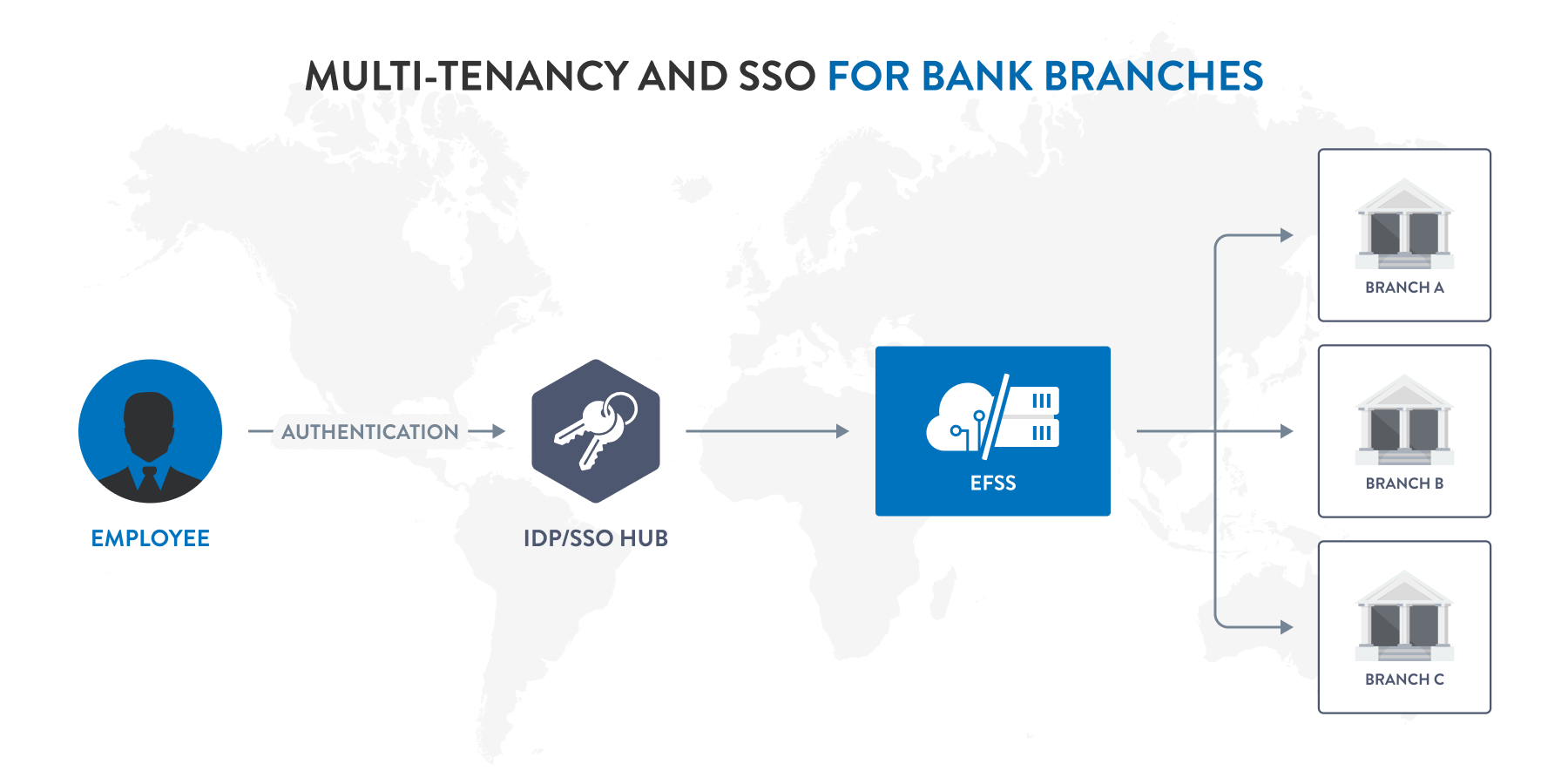
When an employee attempts to access their EFSS platform, the identity provider validates their credentials and confirms their identity. This authentication process happens behind the scenes, often in milliseconds, enabling secure file sharing without creating friction in daily workflows.
Identity providers store user credentials and profile information centrally, eliminating the need for separate login credentials across different applications. This centralized approach to user and group management not only enhances security but also simplifies administration for IT managers and system administrators.
IdP vs IAM (Identity and Access Management)
While the terms are often used interchangeably, there’s an important distinction between identity providers and Identity and Access Management (IAM). An IAM identity provider is actually a component of a broader IAM system.
IAM encompasses the entire framework of policies, processes, and technologies used to manage digital identities and control access to resources. It includes user provisioning, role-based access control, authentication, authorization, and governance. An identity provider, on the other hand, focuses specifically on the authentication piece—verifying user identities and communicating that information to applications.
Think of IAM as the complete security ecosystem and the IdP as the authentication engine within that ecosystem. An organization typically needs both: IAM for comprehensive identity governance and an IdP for efficient user authentication across applications.
IdP vs SSO (Single Sign-On)
Single Sign-On (SSO) and identity providers work hand-in-hand, but they’re not the same thing. An SSO identity provider enables users to access multiple applications with one set of credentials, while SSO refers to the authentication method itself.
Here’s how they connect: the identity provider manages and authenticates user credentials, while SSO is the mechanism that allows users to log in once and gain access to multiple systems. The IdP performs the heavy lifting of credential verification, and SSO leverages that authentication across connected applications.
For EFSS platforms, this means employees can access secure file sharing tools, collaboration platforms, and other business applications without repeatedly entering passwords. The identity provider handles authentication in the background, creating a frictionless user experience while maintaining security standards.
Why IDPs are Critical for EFSS Platforms
Enterprise file sync and share solutions handle some of an organization’s most sensitive data. From financial records to protected health information, these platforms require robust access management to prevent data breaches and maintain compliance.
Identity providers address several critical challenges in EFSS deployments:
- Centralized User Authentication: Instead of maintaining separate user databases for an EFSS platform, network administrators can leverage existing identity infrastructure. This reduces administrative overhead and ensures consistency across systems.
- Enhanced Security Posture: By integrating with an identity provider, EFSS platforms can enforce organizational security policies, including password complexity requirements, multi-factor authentication, and session timeout rules. This is particularly crucial for organizations in highly regulated industries where compliance depends on verified user access.
- Streamlined User and Group Management: When an employee joins, changes roles, or leaves an organization, IT security officers can update their access in one place. The identity provider automatically synchronizes these changes across all connected systems, including the EFSS platform.
- Audit and Compliance Support: Identity providers create detailed logs of authentication events, providing the audit trails that DPOs and compliance teams need for regulatory requirements like HIPAA, GDPR, or FINRA.
Common Types of Identity Providers
Organizations can choose from several types of identity providers, each with distinct characteristics suited to different deployment scenarios and security requirements.
Directory-Based IDPs (e.g., Microsoft Active Directory, LDAP)
Active Directory (AD) remains one of the most widely deployed identity providers in enterprise environments. As an AD identity provider, it stores user credentials, group memberships, and organizational hierarchy in a directory structure that applications can query for authentication.
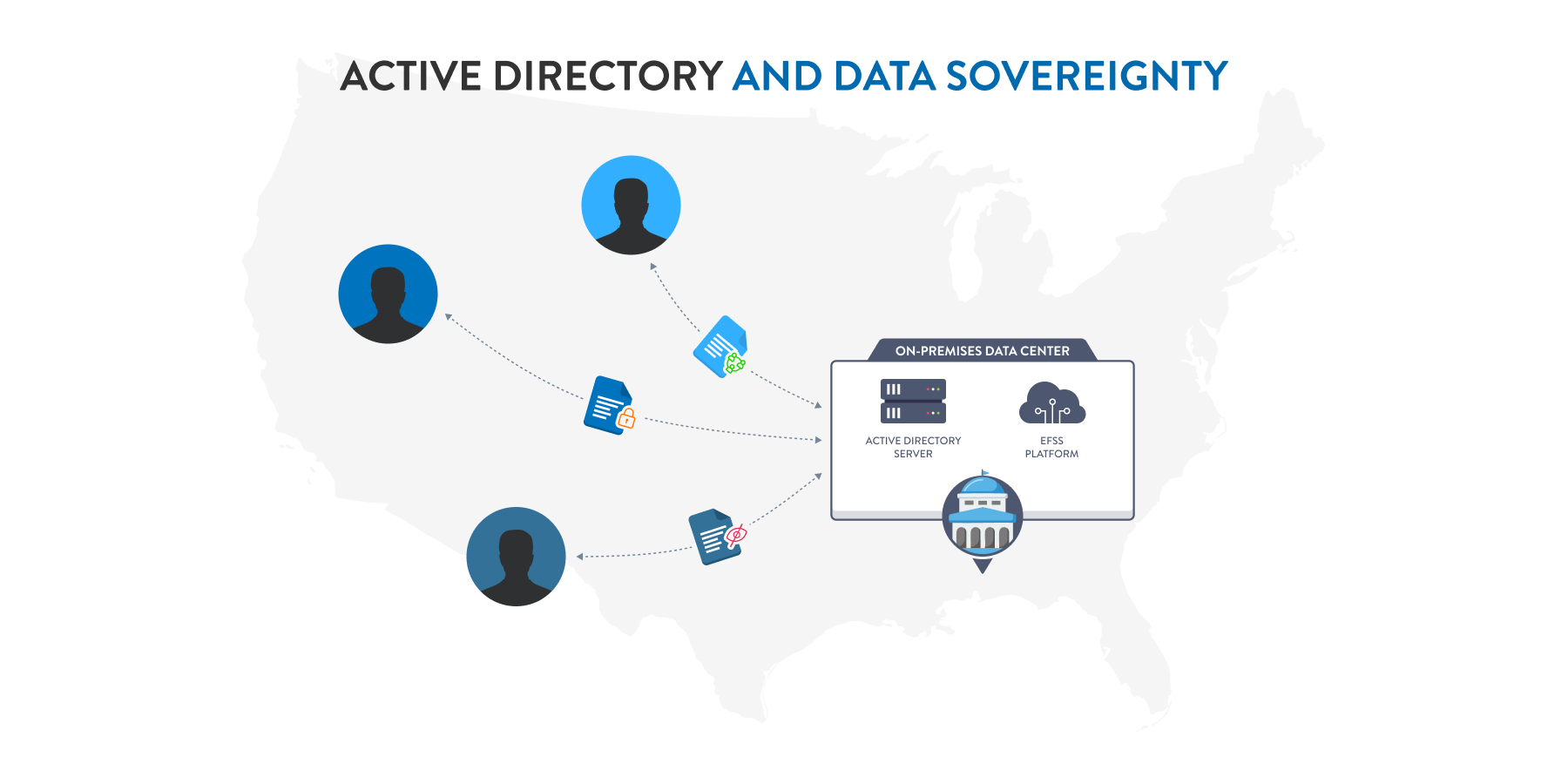
Directory-based solutions like AD and LDAP (Lightweight Directory Access Protocol) excel in on-premises deployments where organizations maintain direct control over their identity infrastructure. For government agencies with strict data sovereignty requirements, an Active Directory identity provider offers the security of keeping authentication services entirely within their controlled environment.
These systems provide robust user and group management capabilities, allowing network administrators to organize users by department, location, or role, and apply access policies accordingly.
Federated IDPs (e.g., SAML-based solutions)
Federated identity providers use standards like SAML (Security Assertion Markup Language) to enable authentication across organizational boundaries. This approach is particularly valuable when organizations need to provide secure file sharing access to external partners, contractors, or clients.
With federated IdPs, users authenticate through their home organization’s identity provider, and that authentication is trusted by the EFSS platform. This eliminates the need to create and manage separate accounts for external users while maintaining security and compliance.
Cloud-Based IDPs (e.g., Okta, OneLogin, Microsoft Entra ID)
Cloud-based identity providers have become increasingly popular as organizations embrace hybrid and cloud-first strategies. Solutions like Okta, Microsoft Entra ID (formerly Azure AD), and Google Workspace offer identity-as-a-service platforms that handle authentication for both cloud and on-premises applications.
IdP Google Workspace (formerly G Suite) represents another cloud-based option, particularly for organizations standardized on Google’s productivity tools. Microsoft Entra ID serves as the cloud counterpart to Active Directory, offering seamless integration with Microsoft 365 and Azure services.
These platforms typically include advanced features like adaptive authentication, which adjusts security requirements based on risk factors such as user location, device type, or access patterns. For IT managers supporting distributed workforces, cloud-based IdPs provide the flexibility to authenticate users regardless of location while maintaining centralized control.
Best Practices for IDP Integration in EFSS
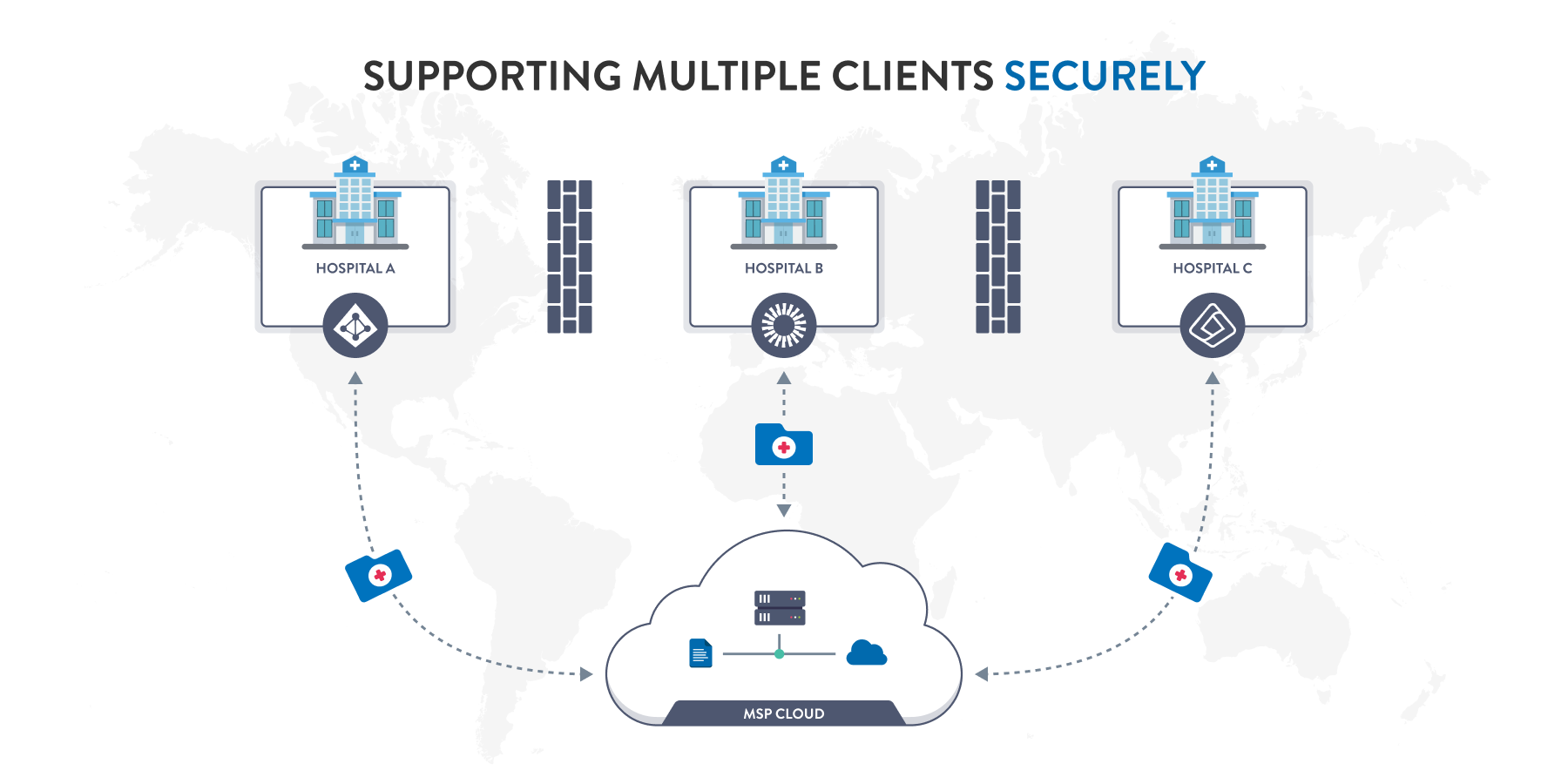
Successful identity provider integration requires careful planning and adherence to security principles. These best practices help ensure that implementation enhances both security and usability.
Adopt Least Privilege Principles
Configure the identity provider and EFSS platform to grant users only the minimum access necessary for their role. Rather than providing blanket access to all files, use the IdP’s group membership information to implement role-based access control (RBAC) that aligns with job functions.
For example, finance team members might receive access to budget documents and financial reports, while marketing teams access campaign materials and brand assets. When properly integrated, an identity provider can automatically provision these permissions based on group assignments, eliminating manual access requests and reducing the risk of over-privileged accounts.
Ensure Redundancy and High Availability
An identity provider represents a single point of failure for authentication. If users can’t authenticate, they can’t access files—even in emergencies. Design an IdP integration with redundancy in mind.
For on-premises Active Directory deployments, implement multiple domain controllers across different locations or availability zones. For cloud-based identity providers, understand the vendor’s SLA and consider multi-region configurations. Many EFSS platforms also support multiple authentication sources, allowing fallback to a secondary IdP if the primary becomes unavailable.
Regularly Audit Access Logs and Permissions
Integration between the identity provider and EFSS platform creates rich audit data, but that information only provides value when regularly reviewed. Establish processes to monitor authentication logs for suspicious patterns, such as failed login attempts, access from unusual locations, or off-hours activity.
Periodically review user permissions to identify and remediate access creep—the gradual accumulation of unnecessary permissions as users change roles. Network administrators should conduct quarterly access reviews, working with department managers to verify that users’ access aligns with their current responsibilities.
Integrating IDPs with EFSS Platforms like FileCloud
Modern EFSS platforms offer multiple integration pathways to connect with identity providers, providing flexibility to match an organization’s technical architecture and security requirements.
Overview of IdP-EFSS Integration Methods
FileCloud supports multiple identity provider integration options, allowing organizations to choose the approach that best fits their environment. The most common integration methods include:
- LDAP/Active Directory Integration: For organizations with on-premises AD infrastructure, direct LDAP integration provides real-time authentication against the directory. This method requires network connectivity between the EFSS servers and domain controllers but offers the lowest latency for authentication requests.
- SAML 2.0 Federation: Many organizations prefer SAML-based SSO integration, which works with both on-premises and cloud identity providers. SAML enables secure authentication without exposing directory credentials to the EFSS platform and supports advanced scenarios like multi-factor authentication and conditional access policies.
- SCIM 2.0 (System for Cross-domain Identity Management): This protocol standardizes how identity information is exchanged between IdPs and applications, enabling automated user provisioning and deprovisioning.
Role-Based Access Control (RBAC) and Group Sync
The real power of identity provider integration emerges when group membership connects to access permissions. FileCloud’s group sync capability automatically creates and maintains groups based on the IdP’s directory structure.
When configured properly, a user who joins the engineering department receives automatic access to engineering file shares through their IdP group membership. If they transfer to product management, removing them from the engineering group and adding them to the product management group automatically adjusts their EFSS access without administrator intervention.
Enhancing Security with 2FA, SSO, and Zero Trust File Sharing®
Identity provider integration forms the foundation for advanced security features. When FileCloud authenticates users through the IdP, it can leverage the security policies you’ve already configured—including multi-factor authentication requirements, device compliance checks, and conditional access rules.
This approach aligns with Zero Trust security principles, which assume that no user or device should be automatically trusted. By validating identity through the IdP on every access request and applying context-aware security policies, FileCloud helps organizations implement secure collaboration without sacrificing usability.
Ready to enhance your secure file sharing with identity provider integration? Learn more about FileCloud’s IdP capabilities and discover how streamlined authentication can improve both security and user experience in your organization.
FAQs
What is the purpose of IdP?
The primary purpose of an identity provider is to verify user identities and provide authentication services to applications. IdPs centralize user credential management, enabling single sign-on across multiple systems while maintaining security and simplifying administration.
What is the difference between IdP and identity provider?
There is no difference—IdP is simply an abbreviation for identity provider. Both terms refer to the same concept: a system that manages digital identities and authenticates users for applications and services.
Is there a difference between IdP and IAM?
Yes. IAM (Identity and Access Management) is a comprehensive framework encompassing policies, processes, and technologies for managing digital identities and controlling access to resources. An IdP is a component within IAM that focuses on authentication—verifying who users are. IAM includes broader functions like authorization, provisioning, governance, and compliance management.
What is the difference between IdP and SSO?
An identity provider manages and authenticates user credentials, while SSO (Single Sign-On) is an authentication method that allows users to access multiple applications with one set of credentials. They work together but serve different functions in the access management ecosystem.
What is the difference between IdP and AD?
Active Directory (AD) is a specific type of identity provider developed by Microsoft for on-premises deployments. All AD implementations are identity providers, but not all identity providers are Active Directory. Organizations might use cloud-based IdPs like Okta or Microsoft Entra ID, or other directory services like LDAP. AD represents one identity provider option among many available solutions

Product Marketing Manager