FileCloud Release 23.261: Enhanced Security, Automation, and Network Folder Support
FileCloud Release 23.261 introduces several enhancements designed to strengthen enterprise security, improve automation capabilities, and extend advanced FileCloud features to traditional network file environments.
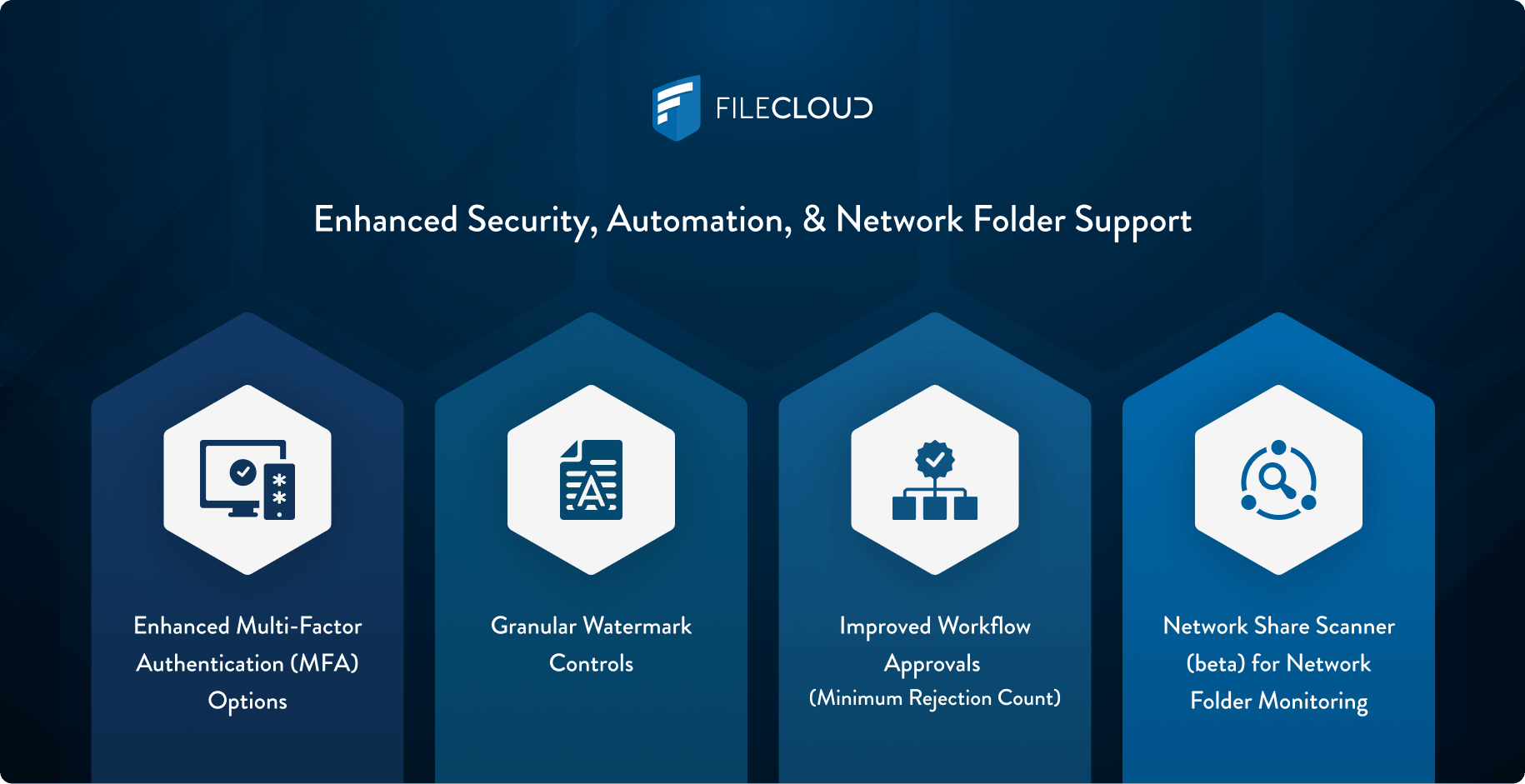
This release focuses on three key areas that IT teams consistently prioritize: stronger authentication, deeper workflow automation, and improved integration with existing network storage infrastructure.
For IT administrators managing secure file collaboration platforms, these improvements make it easier to enforce security policies, automate document governance processes, and integrate FileCloud with existing file storage systems.
Stronger Authentication with Expanded MFA Modes
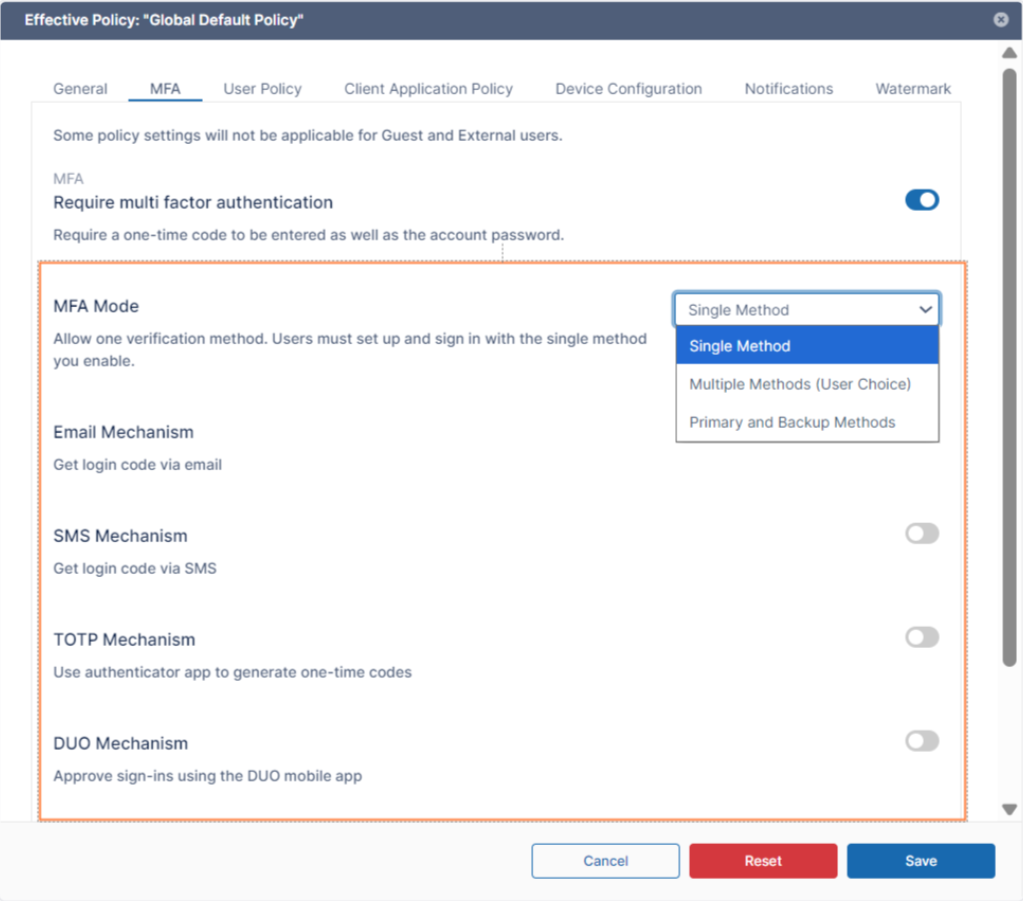
Security continues to be a top priority for organizations managing sensitive data and collaborative workflows. The 23.261 release expands FileCloud’s multifactor authentication (MFA) capabilities with additional MFA modes, giving administrators greater flexibility when enforcing authentication policies.
With these enhancements, administrators can configure authentication methods that best align with their organization’s security requirements while maintaining a smooth login experience for users.
Key improvements:
- Improved support for two-factor authentication (2FA) configurations
- Greater flexibility in enforcing security policies across users and devices
- More adaptable authentication frameworks for hybrid or distributed workforces
By strengthening MFA options, FileCloud helps organizations protect access to sensitive files while supporting compliance initiatives and modern Zero Trust security strategies.
For IT teams managing distributed environments or regulated data, these improvements make it easier to deploy secure authentication without disrupting productivity.
Improved Workflow Automation for Document Governance
Workflow automation is a critical capability for organizations that need to manage document approvals, governance policies, and operational processes across large teams.
With FileCloud Release 23.261, workflow automation capabilities are expanded with Minimum Rejection and Approval Counts for file sharing workflows to enable more powerful and flexible automation scenarios.
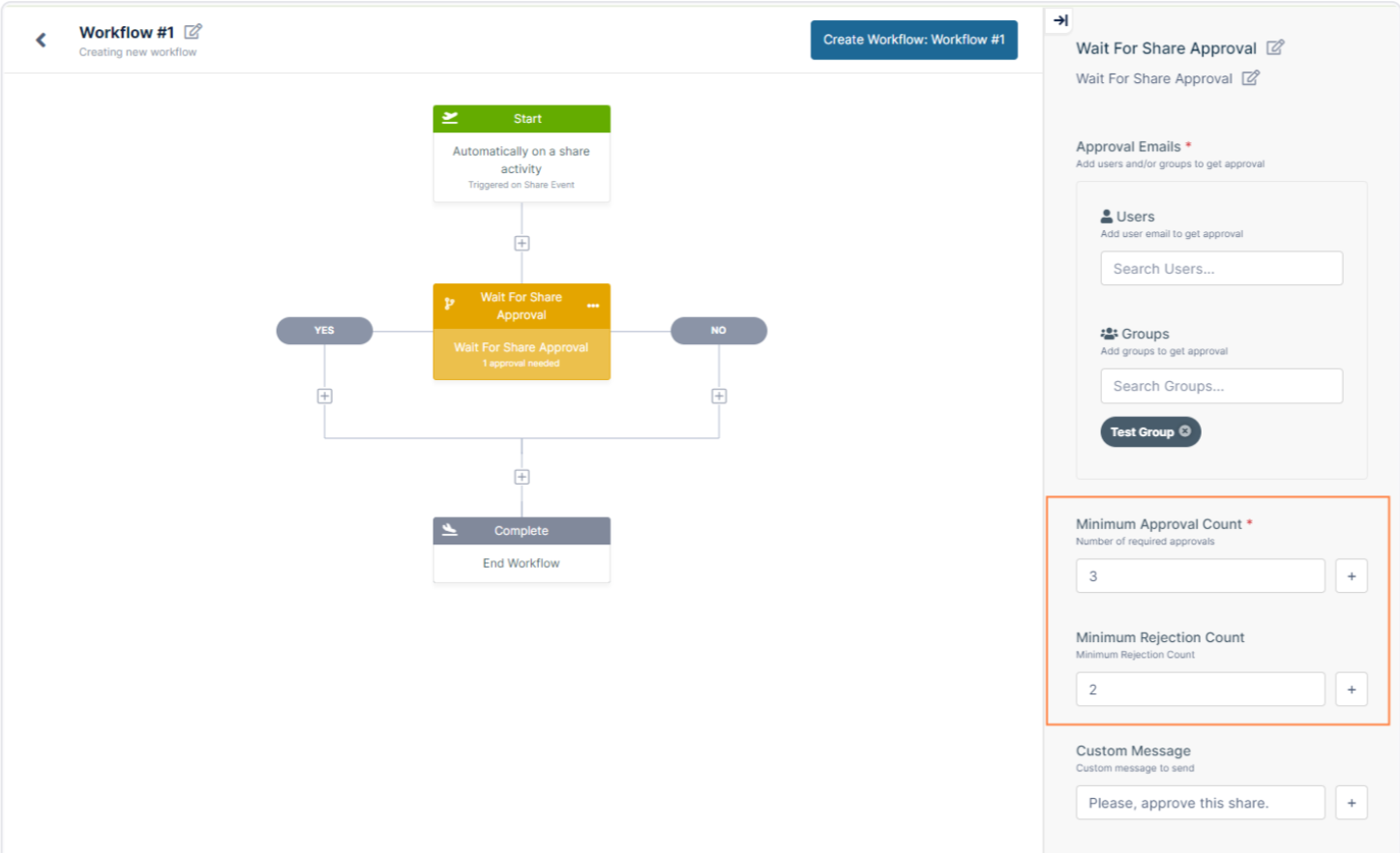
These improvements help administrators streamline routine processes such as:
- Document approval workflows
- Automated review and publishing processes
- File lifecycle management tasks
- Policy-driven governance workflows
By integrating automation directly into the file collaboration environment, organizations can reduce manual administrative work while improving consistency across document management processes.
For organizations operating in regulated industries or large enterprise environments, automation ensures that security, governance, and compliance policies are applied consistently across all content.
Document Watermarking for Better Data Protection
Data protection is not just about controlling access — it also involves protecting sensitive content after it has been shared.
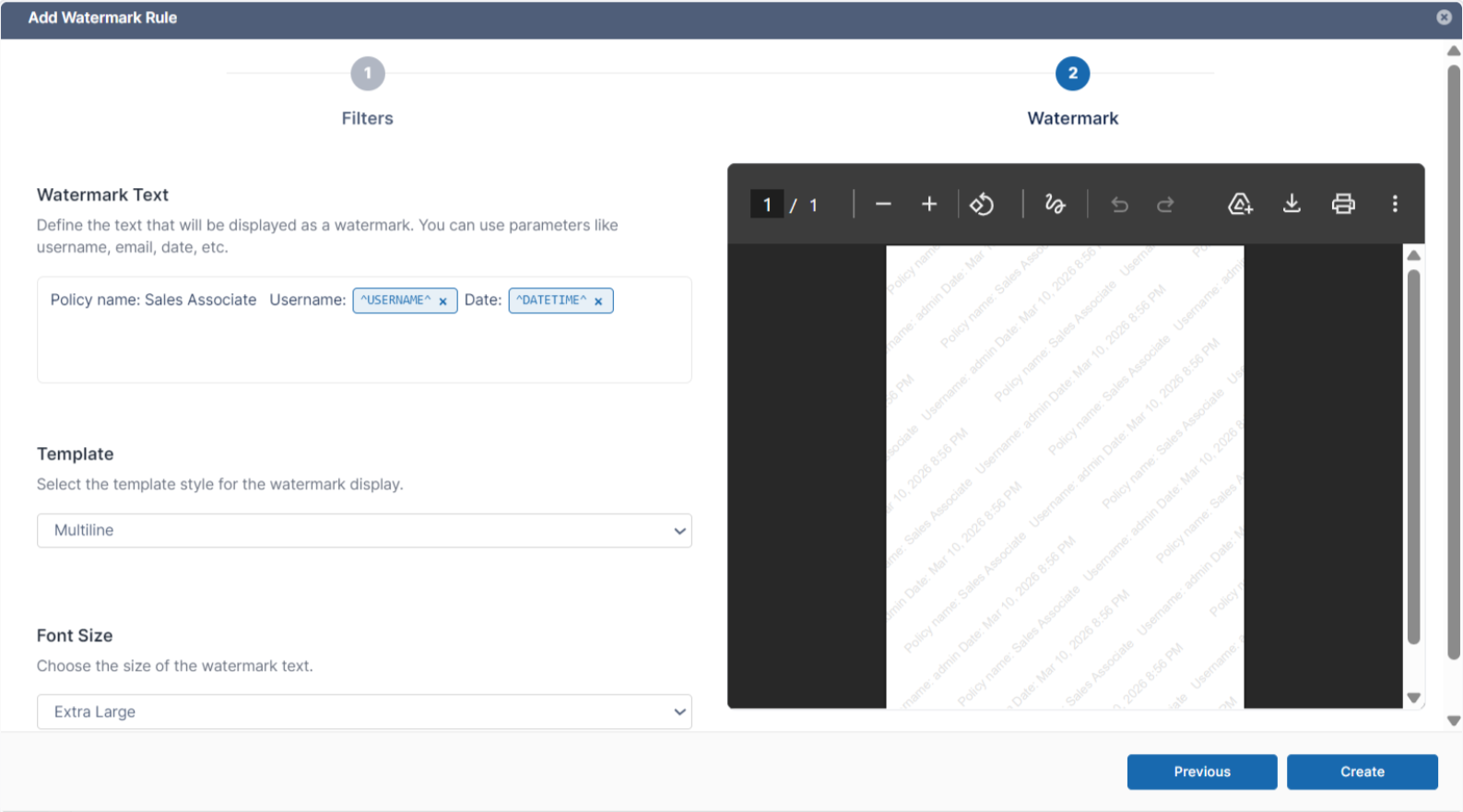
The 23.261 release introduces enhanced document watermarking capabilities, allowing organizations to visually label documents with identifying information when they are accessed or shared.
Watermarking helps organizations:
- Deter unauthorized sharing or redistribution of sensitive documents
- Identify the source of leaked or improperly shared files
- Provide an additional layer of protection for confidential information
Watermark implementations in FileCloud may include details such as user name, timestamp, organization information, document identifiers, and more. For industries such as finance, legal services, government, and research institutions, granular watermarking provides a powerful tool for protecting sensitive content while still enabling collaboration.
When combined with FileCloud’s access controls and audit logging, watermarking strengthens overall data governance and document security.
Network Share Scanner: Unlocking Advanced Features for Network Folders
Many organizations continue to rely on network folders and traditional file servers as a core part of their storage infrastructure. However, enabling modern collaboration features on these systems can often be difficult.
The new FileCloud Network Share Scanner (available with the 23.261 release as a beta) addresses this challenge. This new service replaces the older FileCloud Helper indexing approach with a more efficient scanner that monitors file system events on LAN-based network folders. Once deployed, the Network Share Scanner allows organizations to apply advanced FileCloud capabilities to files stored in network shares.
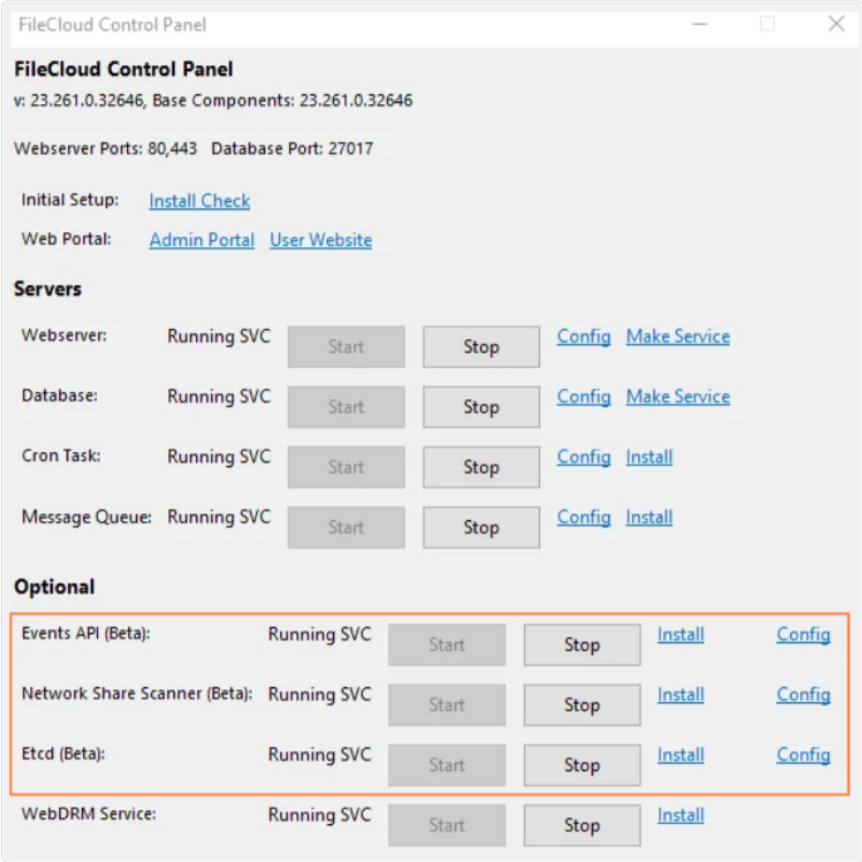
These capabilities include:
- Content search
- Workflow automation
- Content Disarm and Reconstruction (CDR)
- Antivirus integration
- Metadata rules
- Data Loss Prevention (DLP)
- Content Classification Engine (CCE)
After the Network Share Scanner is configured, these features function successfully when network share paths are specified using the root external path configuration. This enables organizations to maintain their existing file server infrastructure while still benefiting from FileCloud’s advanced security and governance features.
The Network Share Scanner is available for both Linux and Windows environments, providing flexibility for organizations running mixed infrastructure.
Why the 23.261 Release Matters for IT Teams
For many organizations, file collaboration platforms sit at the center of daily operations. That means improvements to authentication, governance automation, and storage integration can have a major impact on both security and productivity.
FileCloud Release 23.261 delivers improvements in three critical areas:
- Security: Expanded MFA and watermarking capabilities help organizations better protect sensitive data and enforce security policies.
- Automation: Improved workflow automation reduces administrative overhead while ensuring consistent policy enforcement.
- Infrastructure Integration: The new Network Share Scanner allows enterprises to extend FileCloud’s advanced capabilities to existing network storage environments.
Together, these updates make it easier for IT teams to modernize collaboration infrastructure without disrupting existing workflows.
FileCloud Release 23.261 Expands Secure, Enterprise File Sharing
This update continues FileCloud’s commitment to delivering secure, enterprise-grade collaboration tools that integrate seamlessly with existing infrastructure.
To explore the full details of the release, review the official release note.

Product Marketing Manager