Updated 11 September, 2026.
Why Online File Sharing and Collaboration Still Breaks Down in the Enterprise
If you manage IT for an enterprise in a regulated industry, you’ve probably had some version of this project land on your desk:
Find a collaboration and file sharing solution that keeps distributed teams productive without putting sensitive data at risk.
The first question everyone above you asks is usually the same one — “don’t we already have Microsoft 365? Isn’t Google Workspace basically built for this?” It’s a fair question, and on paper those platforms check a lot of boxes.
But then you get into the technical requirements:
- Data residency rules that dictate where files can physically live.
- An audit trail granular enough to satisfy an external examiner.
- Permission structures that hold up when a deal team includes outside counsel and three subcontractors.
- An admin console that can prove compliance instead of just claiming it.
At this point in the discovery phase, the general-purpose software suite starts showing its seams. It wasn’t built around your industry’s constraints; it was built to be everything for everyone, and “everyone” doesn’t have to answer to an ITAR clause or a HIPAA auditor.
The Real Collaboration Question You’re Being Asked to Solve
The gap you’re actually solving for isn’t “can people share and edit files.” Everyone can already do that.
It’s “can they do it in a way that survives a compliance review, holds up under an incident investigation, and doesn’t require every remote employee to become an unofficial IT support ticket.”
The subtext of the original ask is so much more complicated. Solving it means taking a thorough look at what the enterprise organization actually needs, considering both high-level regulatory requirements and the day-in, day-out collaboration processes of employees.
Below are the specific bottlenecks that keep showing up once you dig past the surface-level pitch, and the collaboration software features that actually close them.
The Bottlenecks Enterprises Actually Run Into
Version confusion and conflicting edits. When files move around as email attachments or live in disconnected personal drives, teams lose track of which version is current. Two people edit the same contract in parallel, and someone has to manually reconcile the differences. This is where projects lose days, not minutes.
Access that’s too broad or too rigid. Legacy file sharing tends toward one of two failure modes: everyone has access to everything, which is a data governance problem, or access is so locked down that legitimate collaborators keep hitting walls and filing IT tickets to get unblocked. Neither supports fast, secure teamwork.
No visibility into who touched what. Without a reliable audit trail, it’s hard to answer basic questions during a security review or compliance audit: who viewed this file, who downloaded it, when was it last changed. Reconstructing that history after the fact is slow and often incomplete.
Remote and distributed teams working around the system. When the sanctioned file sharing tool is clunky, people route around it — personal cloud accounts, USB drives, ad hoc email threads. Every workaround is a new place sensitive data can leak, and a new gap in the organization’s audit trail.
Collaboration tools that don’t talk to security tools. Real-time editing, commenting, and syncing are often bolted onto a separate platform from the one that handles encryption, permissions, and compliance controls. That split makes it hard to collaborate quickly without opening a security gap.
Compliance requirements that don’t bend for convenience. Regulations like HIPAA, GDPR, FINRA, and CMMC don’t pause for a fast-moving deal or an urgent client request. Enterprises need collaboration workflows where the compliant path and the fast path are the same path — not two workflows in tension with each other.
What Actually Solves These Problems
Fixing these bottlenecks isn’t about adding another app to the stack — it’s about closing the gap between how people want to work and how the organization needs to control its data. A few things matter most:
- Centralized access with granular permissions. Files should live in one governed environment, with permissions set down to the folder, file, or even action level (view-only vs. edit vs. download vs. print), so broad access and IT bottlenecks both go away.
- Real-time collaboration inside the secure environment. Co-editing, commenting, and notifications should happen on top of the same platform that enforces encryption and access control — not in a separate tool that creates a second, less-governed copy of the data.
- Automatic version control. Every edit should be tracked and reversible, so “which version is correct” stops being a question teams have to answer manually.
- A complete audit trail. Every view, edit, download, and share should be logged automatically, so audit and compliance questions have a fast, complete answer instead of a reconstruction project.
- Secure remote access without workarounds. If people can get their work done securely and easily inside the sanctioned platform, they have no reason to route around it.
How FileCloud Addresses These Bottlenecks
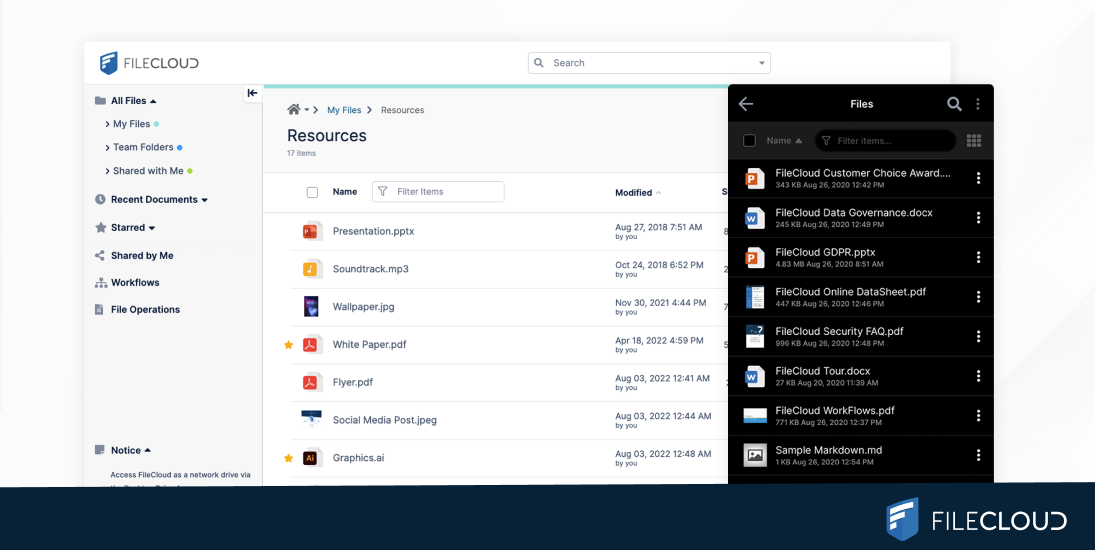
FileCloud is built to close the gap between fast collaboration and enterprise-grade control. Granular, file- and folder-level permissions let organizations open up collaboration without opening up risk — teams can co-edit, comment, and share in real time, all inside a platform with full encryption in transit and at rest, detailed audit logs, and unlimited version history.
For regulated industries, FileCloud supports compliance frameworks including HIPAA, GDPR, FINRA, and CMMC, so the fast way to collaborate and the compliant way to collaborate are the same thing. And because access works securely from anywhere, distributed and remote teams get a sanctioned path that’s actually easier than the workaround.
For a closer look at how this plays out for cross-department, cross-location teams, see our guide to content collaboration — or explore FileCloud’s approach to secure file sharing directly.
Frequently Asked Questions
What is the difference between file sharing and file collaboration?
File sharing is the act of making a file available to another person; collaboration is what happens after that — co-editing, commenting, and tracking changes together. Enterprises need both handled inside one secure environment, not two disconnected tools.
Why do enterprises need secure file sharing instead of consumer tools?
Consumer file sharing tools aren’t built for regulatory requirements like HIPAA, GDPR, or FINRA, and typically lack the granular permissions and audit logging enterprises need. Using them creates compliance risk and blind spots in data governance.
How does file sharing support remote and distributed teams?
Cloud-based file sharing lets distributed teams access and work on the same files from any location, in real time, without VPNs or physical proximity to a file server. This keeps remote work efficient without sacrificing IT’s ability to control access.
What should enterprises look for in a file sharing and collaboration platform?
Look for granular access controls, encryption at rest and in transit, complete audit trails, automatic version history, and compliance support for relevant regulations. The platform should let teams collaborate in real time without leaving that secure environment.
Can file sharing tools help during compliance audits?
Yes, if they log activity automatically. A platform with a complete audit trail — who accessed a file, what changed, and when — turns an audit from a manual reconstruction project into a quick, defensible answer.
Does better file sharing actually reduce security risk?
It can, when it replaces risky workarounds like personal cloud accounts and unmonitored email attachments with a governed, permissioned environment. The risk reduction comes from consolidation and control, not from the technology alone.

By Team FileCloud