FileCloud Release 23.262: Stronger Security and Simpler Administration
Secure file sharing is not just about giving users access to content. Organizations need to be able to control how files are shared, protect sensitive information after access is granted, support efficient administration, and maintain visibility into user activity.
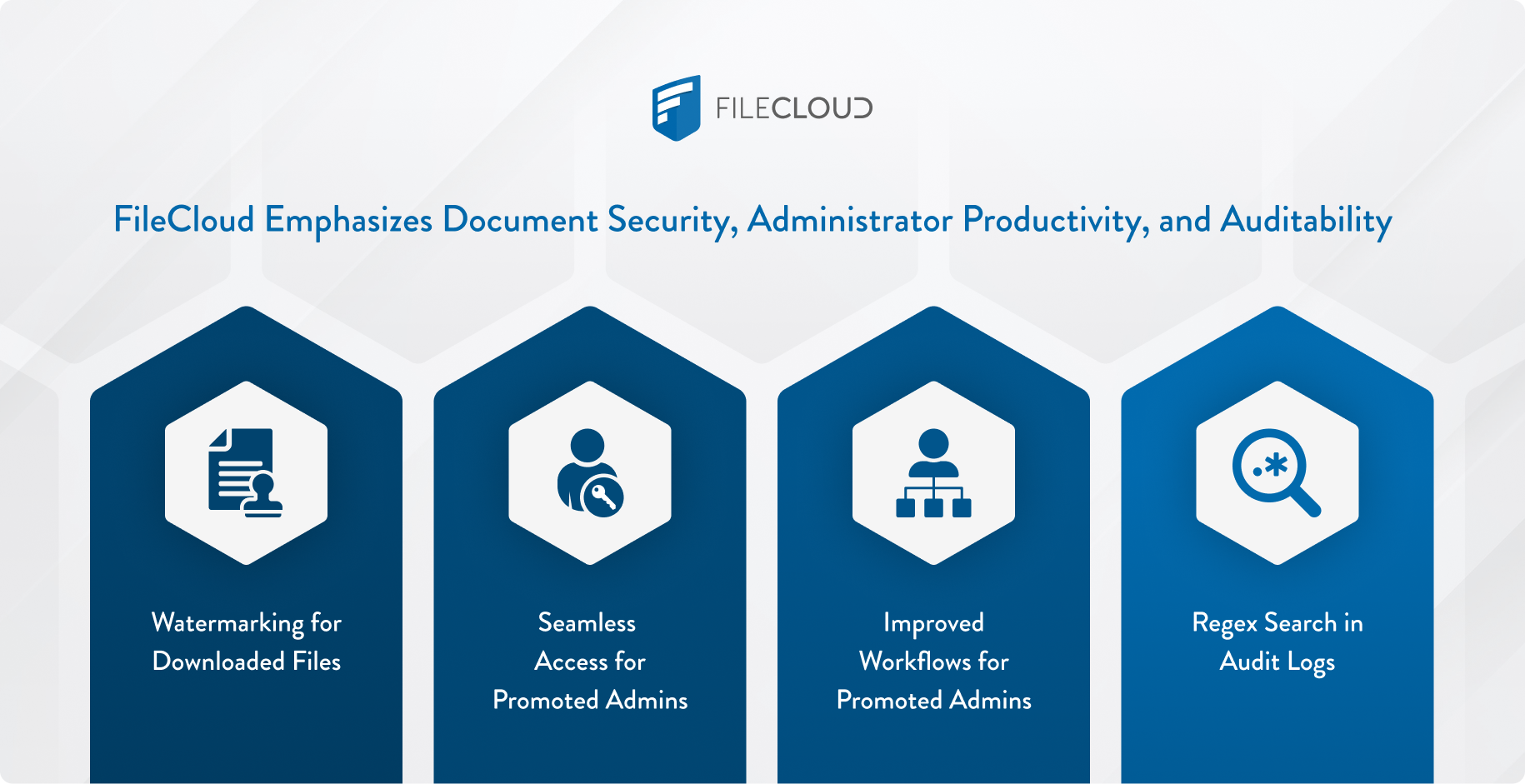
FileCloud release 23.262 introduces focused enhancements that support those goals. This release improves document security, administrator productivity, and auditability through new and expanded capabilities across the platform.
Key updates include:
- Watermarking for downloaded files
- Seamless access for promoted admins
- Improved password reset workflows for promoted admins
- Regex search in audit logs.
Together, these improvements help IT teams reduce friction, strengthen governance, and better support secure collaboration at scale.
Watermark on Download: Extend Protection Beyond Preview
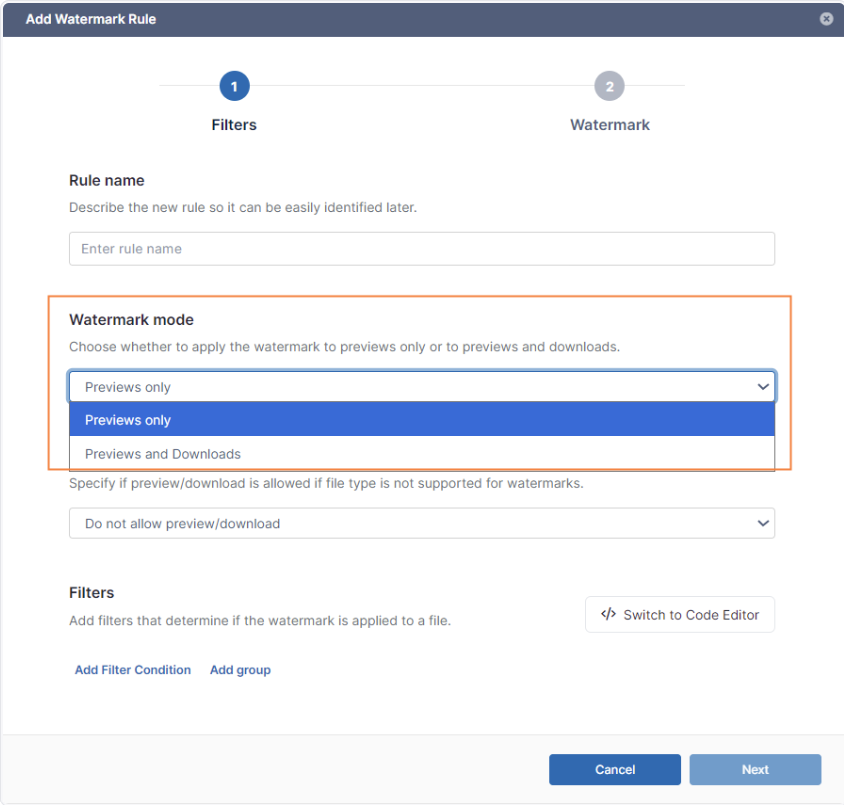
Organizations often need to share sensitive files with employees, vendors, partners, customers, or external collaborators. While preview-based controls are valuable, downloaded files can continue moving outside the original sharing environment. With FileCloud release 23.262, admins can now apply watermarks to downloaded files as well as previewed files, helping organizations maintain accountability even after files leave the browser.
Key benefits:
- Extends document watermarking from previews to downloads.
- Discourages unauthorized redistribution of sensitive files.
- Gives admins control over whether watermark rules apply to previews only or both previews and downloads.
- Supports stronger protection for contracts, financial documents, regulated files, customer records, and internal IP.
Seamless Access for Promoted Admins: Reduce Administrative Friction
IT teams often delegate administration to department admins, regional admins, service provider admins, or other trusted users. These promoted admins need efficient access to the tools required for their responsibilities, but that access still needs to remain secure. In release 23.262, promoted admins can switch from the User portal to the Admin portal more seamlessly using the Switch to Admin Portal option.
Key benefits:
- Improved administrator productivity by reducing extra login friction.
- Support for distributed IT teams and service providers with delegated admin roles.
- Enforcement of admin login and 2FA requirements.
This is a practical improvement for organizations that rely on delegated administration. Promoted admins can get to the right portal faster, while FileCloud continues to apply the appropriate security controls.
Forgot Password for Promoted Admins: A Cleaner Admin Reset Experience
Password resets are routine, but for administrators, the process needs to be clear and predictable. Previously, promoted admins could start the reset process through the Admin portal but were routed through the User portal to complete it. Release 23.262 improves this experience by keeping the forgot password workflow for promoted admins within the Admin portal.
Key benefits:
- Creates a more consistent experience for promoted admins.
- Helps admins recover access through the correct portal.
- Lowers unnecessary support friction for IT teams.
This enhancement may seem small, but it solves a real workflow issue. When admins need to restore access, the process should be direct, role-appropriate, and easy to follow.
Regex Search in Audit Logs: Find Activity Faster
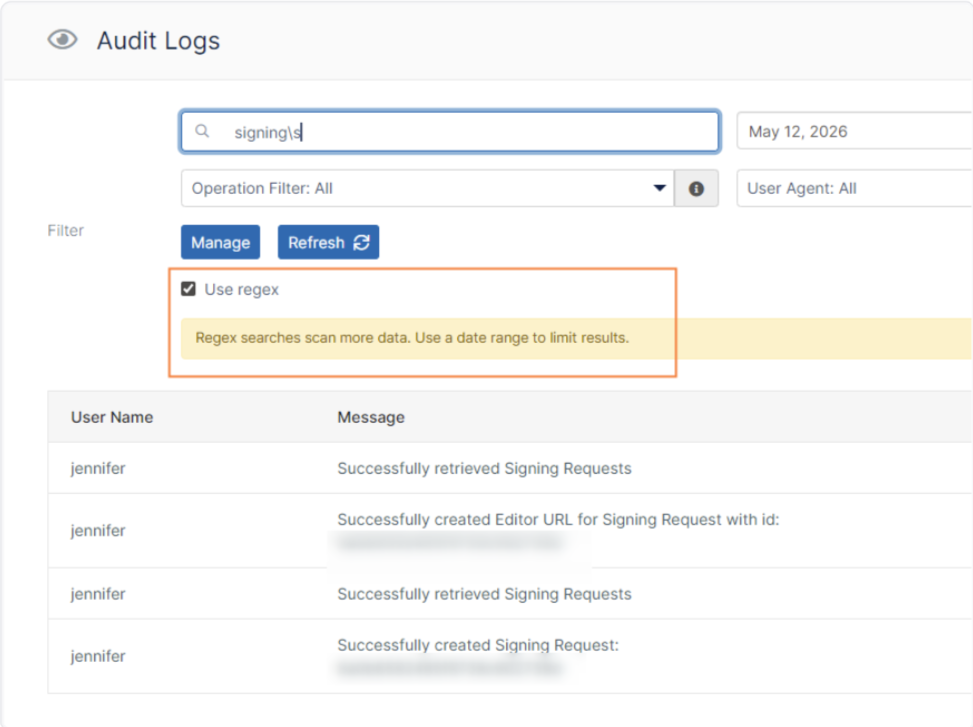
Audit logs are essential for security, compliance, governance, and troubleshooting. But as file activity grows, plain-text search may not be enough to quickly locate the right events. FileCloud release 23.262 adds regular expression or regex search to audit logs, giving admins a more powerful way to search for patterns across audit activity.
Key benefits:
- Improves auditability with more precise audit log search.
- Helps admins search for patterns, not just exact text.
- Supports faster investigation of user activity, file events, and policy-related actions.
- Helps compliance and security teams review large audit datasets more efficiently.
Audit log regex search is especially useful when admins need to investigate filename patterns, folder paths, repeated activity, or suspicious behavior across a defined period.
DLP Dashboard, 2FA Experience Improvements, & eSignature expansion
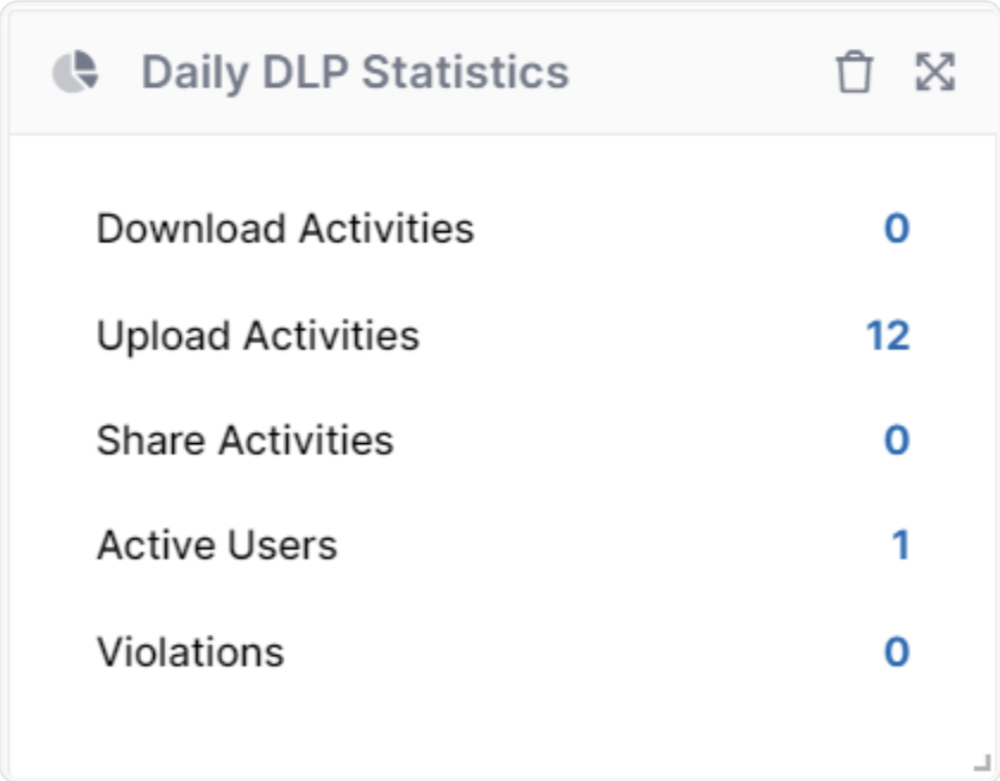
Release 23.262 also includes improvements to clarify daily administration and user authentication. The DLP statistics display in the Admin dashboard has been adjusted to represent the past 24 hours, giving admins a clearer view of recent DLP activity. The 2FA login experience has also been improved with clearer communication during email-based authentication, including a countdown before users can request a new code.
Key benefits:
- Gives admins a clearer view of recent DLP activity.
- Reduces confusion around 2FA code delivery and resend timing.
- Supports a smoother authentication experience.
- Reinforces secure access while enabling process transparency
Additionally, release 23.262 includes a new integration with Signit, a leading Saudi eSignature and contract management solution. This integration opens powerful workflows for organizations across the Middle East region—explore how this partnership enhances FileCloud’s secure file sharing with sovereign eSignature.
As a whole, these updates reflect FileCloud’s continued focus on making security workflows more usable, transparent, and reliable.
Why the FileCloud Release 23.262 Matters
FileCloud release 23.262 is designed to solve practical challenges for organizations that need secure content collaboration at scale.
- For security teams, watermark on download helps extend protection beyond preview and adds accountability to downloaded files.
- For IT administrators, seamless promoted admin access and improved password reset workflows reduce friction in delegated administration.
- For compliance and governance teams, regex audit log search helps speed investigations and improve visibility.
Together, these updates strengthen the FileCloud platform in three important areas: administrator productivity, document security, and auditability.
Whether your organization is managing sensitive files, supporting external collaboration, or reviewing audit activity, release 23.262 delivers targeted enhancements that help teams work more securely and efficiently. Read the full FileCloud 23.262 release notes for complete technical details.

Product Marketing Manager