Acronis Cyber Files End of Life: Why Consider FileCloud?
Acronis Cyber Files is reaching the end of its support lifecycle. For enterprises relying on the platform for secure file sharing and synchronization, now is the time to evaluate a replacement. FileCloud offers a way to maintain essential functionality while expanding security, governance, and deployment flexibility.
What Does the Acronis Cyber Files End of Life Mean?
Acronis Cyber Files (previously known as Acronis Files Advanced) reached end of life (EoL) on December 31, 2025, with extended support scheduled to end on December 31, 2026.
The change affects organizations that rely on Cyber Files for secure file access, synchronization, mobile productivity, and collaboration. Acronis has published an official end-of-life notice detailing the product lifecycle.
For enterprise IT teams, the approaching support deadline creates an important decision point. Continuing to operate software beyond its supported lifecycle introduces potential security, compatibility, and operational risks, particularly as operating systems and connected infrastructure evolve.
Without ongoing vendor support and security updates, organizations may face increasing difficulty addressing vulnerabilities, troubleshooting failures, or demonstrating that critical file-sharing systems are adequately maintained.
Rather than treating the EoL as a straightforward software replacement exercise, IT leaders can use the opportunity to reassess how their organizations manage, protect, and share enterprise content.
What Should an Acronis Cyber Files Replacement Offer?
Acronis Cyber Files provided two primary capabilities: secure mobile access to enterprise content and enterprise file synchronization and sharing (EFSS).
Organizations used the platform to connect employees with files stored on corporate servers, network-attached storage (NAS), and SharePoint environments. Users could access content from desktop and mobile devices while administrators maintained centralized oversight.
For many businesses, these capabilities have become essential to daily operations. Any replacement must preserve existing workflows while meeting evolving requirements for security, performance, and administration.
When comparing Acronis Cyber Files alternatives, IT teams should prioritize:
- Secure file synchronization and sharing: Controlled access to enterprise files across supported devices, with reliable synchronization and collaboration.
- Integration with existing storage: Connectivity with corporate file servers and network shares without requiring unnecessary infrastructure changes.
- Granular access controls: Administrative oversight of who can access, download, modify, and share sensitive content.
- Mobile and remote access: Secure access for employees working outside the corporate network.
- Deployment flexibility: Support for on-premises, private cloud, and hosted environments.
- Auditability and governance: Visibility into file activity and tools for enforcing organizational data management policies.
A replacement that meets these requirements can maintain operational continuity. One that extends them can deliver additional long-term value.
FileCloud: A Secure Alternative to Acronis Cyber Files
FileCloud is an enterprise file sharing, synchronization, and governance solution designed to help organizations maintain control over their business content.
Like Acronis Cyber Files, FileCloud enables authorized users to access and share files across devices while providing centralized administrative controls. However, FileCloud also brings together capabilities for data loss prevention, content classification, retention management, and compliance support, allowing organizations to address a broader range of enterprise data governance requirements.

Maintain Secure File Sharing and Synchronization
A primary concern when replacing Cyber Files is whether employees can continue accessing and collaborating on business content without disrupting established workflows. FileCloud supports secure internal and external file sharing through web, desktop, and mobile interfaces. Users can synchronize files, access content remotely, and share documents using links with configurable permissions, passwords, and expiration dates.
FileCloud Desktop includes virtual drive access and selective synchronization from a desktop client, allowing employees to work with enterprise content without maintaining full local copies of every file. For IT teams, these capabilities help preserve familiar file sharing workflows while providing centralized control over how content is distributed.
Connect to Existing Enterprise Storage
Acronis Cyber Files supported access to existing enterprise storage infrastructure, making integration an important consideration during migration.
FileCloud Server can integrate with existing network shares, including Windows file servers, while supporting Active Directory authentication and existing NTFS permissions. This gives organizations the option to provide secure remote access to existing files without immediately moving all their content into a new storage environment.
For businesses with substantial on-premises infrastructure, this flexibility can simplify migration planning and reduce unnecessary disruption.
Organizations with specialized SharePoint integrations, mobile access policies, or other application dependencies should validate those workflows individually during their evaluation.
Strengthen Data Security with Smart DLP
Replacing an EFSS solution is also an opportunity to reassess security controls that may no longer meet organizational requirements.
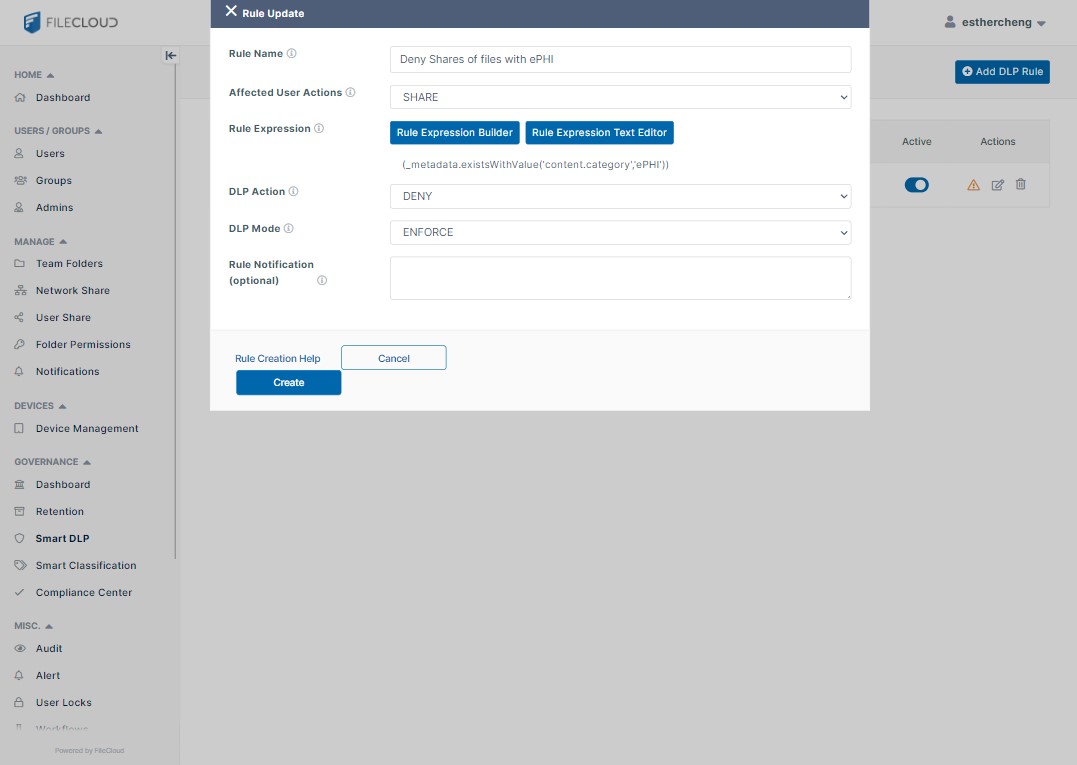
FileCloud provides granular permissions, administrative policies, and Smart Data Leak Prevention (DLP) capabilities to help organizations restrict unauthorized access and sharing. Smart DLP policies can use conditions such as user identity, group membership, IP address, file location, and metadata to control file access and distribution.
For example, an organization could restrict downloads of confidential documents, limit access from unauthorized networks, or apply additional controls to files classified as sensitive. These capabilities extend beyond basic sharing permissions, helping IT and security teams enforce data protection policies across everyday collaboration activities.
Improve Compliance and Information Governance
Organizations in regulated industries frequently need more than secure file transfer. They must also demonstrate how sensitive content is managed throughout its lifecycle.
FileCloud provides data governance capabilities that include automated classification, configurable retention policies, audit logging, and compliance management tools. Its Compliance Center supports organizations working toward requirements associated with frameworks and regulations such as HIPAA, GDPR, and NIST 800-171.
Administrators can use these capabilities to help identify sensitive information, enforce retention requirements, and maintain visibility into file activity. Instead of managing secure sharing and governance as separate concerns, organizations can establish more consistent policies across their content environment.
Flexible Deployment for Enterprise IT and Service Providers
One important consideration when replacing Cyber Files is whether the new platform fits the organization’s infrastructure and operational model.
FileCloud offers multiple deployment options, including self-hosted, private cloud, and SaaS environments. Organizations requiring direct control over data location and infrastructure can deploy FileCloud Server on-premises or within a private cloud. Businesses preferring a managed hosting model can evaluate FileCloud Online.
This flexibility is particularly relevant for enterprises with data sovereignty requirements, hybrid infrastructure, or restrictions on where sensitive information may be stored.
What About Managed Service Providers (MSPs)?
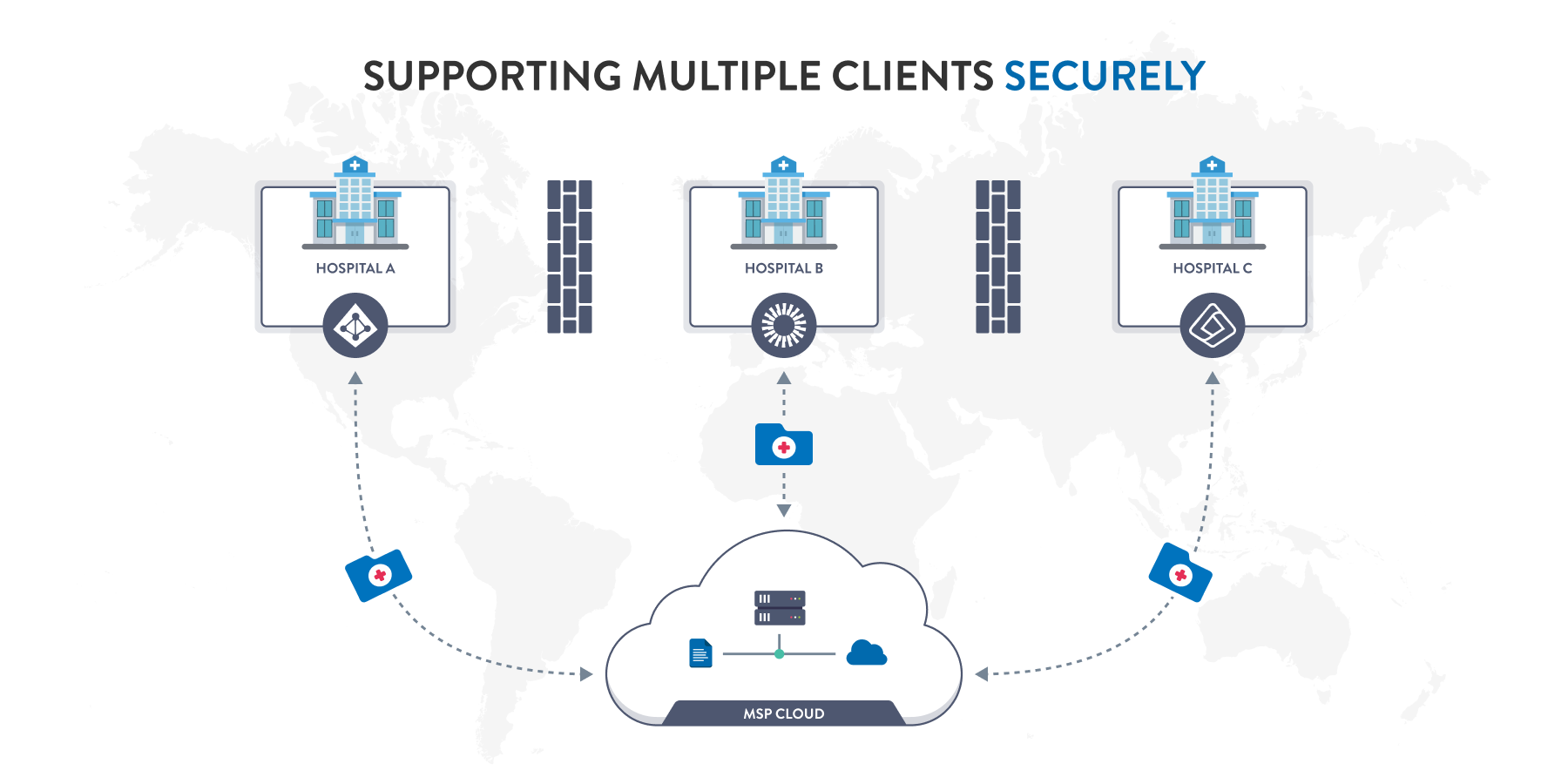
Acronis Cyber Files Cloud was designed specifically for service providers delivering file synchronization and sharing services to customers. For MSPs seeking an alternative, FileCloud supports multi-tenancy, centralized administration of multiple sites, and configurable branding.
Service providers can use these capabilities to manage distinct customer environments while retaining administrative oversight and tailoring their service offerings. Deployment architecture, licensing, provisioning workflows, and customer-specific requirements should be reviewed before selecting a replacement.
How to Prepare for an Acronis Cyber Files Migration
A successful migration requires more than transferring files from one application to another. IT teams must also account for user access, permissions, integrations, and existing workflows.
A structured migration plan should include five steps:
- Assess the current environment. Inventory Cyber Files deployments, active users, storage locations, shared folders, integrations, and administrative policies.
- Identify critical functionality. Document workflows that must be preserved, including mobile access, external sharing, file synchronization, and authentication requirements.
- Evaluate the replacement architecture. Determine whether an on-premises, private cloud, or hosted deployment best meets operational and security requirements.
- Test with a representative user group. Validate access permissions, synchronization behavior, file transfer performance, and compatibility with important business applications.
- Plan a phased transition. Establish user communications, data validation procedures, rollback considerations, and a timeline for retiring the legacy platform.
Depending on the existing architecture, FileCloud may allow organizations to connect existing network shares rather than migrate every file into a new storage repository.
However, permissions, file versions, metadata, sharing links, and user configurations should be assessed separately. A migration should not be assumed to transfer these elements automatically.
Turning an End-of-Life Challenge into an Opportunity
Software end-of-life announcements can create unexpected pressure on enterprise IT teams. Replacing an established platform requires budget, technical resources, testing, and end-user coordination.
Yet a necessary migration can also create an opportunity to modernize the organization’s content management strategy. Over time, file-sharing environments often accumulate fragmented permissions, inconsistent sharing practices, and separate tools for collaboration and compliance. Evaluating a replacement gives IT leaders the opportunity to address these issues through a more deliberate approach.
With FileCloud, organizations can evaluate ways to consolidate secure sharing and governance, apply more consistent data protection policies, and align deployment decisions with their infrastructure strategies.
The potential benefits extend beyond maintaining the same functionality. Stronger content controls, improved administrative visibility, and greater deployment flexibility can help organizations adapt to changing security and operational demands.
Plan Your Next Step with FileCloud
With Acronis Cyber Files extended support scheduled to end on December 31, 2026, organizations should begin evaluating their replacement strategy before the support deadline.
FileCloud offers a secure enterprise file sharing alternative that combines essential synchronization and collaboration capabilities with flexible deployment, data governance, and administrative control. Whether your organization manages a single enterprise deployment or delivers file-sharing services to multiple customers, FileCloud can help you evaluate a path forward.
Book a FileCloud Demo to discuss your existing Cyber Files environment, review your migration requirements, and explore the deployment options that best fit your organization.
Frequently Asked Questions – Acronis Cyber Files EoL
When does Acronis Cyber Files reach end of life?
Acronis Cyber Files reached end of life on December 31, 2025, with extended support scheduled to end on December 31, 2026. Organizations should review Acronis’ official EoL announcement to confirm applicable support terms and prepare their migration strategy.
What is the best alternative to Acronis Cyber Files?
FileCloud is a suitable Acronis Cyber Files alternative for organizations requiring secure file sharing, synchronization, and remote access. It also offers advanced security, granular permissions, data governance, and flexible deployment options, making it particularly relevant for enterprise IT teams and managed service providers.
Can FileCloud connect to existing file servers?
Yes. FileCloud Server supports integration with existing Windows network shares, Active Directory, and NTFS permissions. This allows organizations to provide secure access to existing enterprise content without necessarily migrating all files into a new storage environment.
Is FileCloud suitable for MSPs replacing Acronis Cyber Files Cloud?
Yes. FileCloud supports multi-tenancy, centralized administration, and customizable branding, making it a viable option for MSPs managing file-sharing environments for multiple customers. Service providers can evaluate self-hosted and cloud deployment options based on their infrastructure, security, and customer requirements.

Product Marketing Manager