FileCloud 23.253 Release: Strengthened Security, Smarter Access, and Admin Enhancements
We’re pleased to announce the FileCloud 23.253 release, delivering focused security and platform updates for enterprise file sharing and collaboration.
This release continues FileCloud’s security-first approach, introducing support for a dynamic Content Security Policy (CSP), Single Sign-On (SSO) for external users, admin workflow enhancements, and user experience improvements.
FileCloud 23.253 is designed to strengthen the core capabilities IT teams rely on every day, helping organizations reduce risk, streamline administration, and provide users with a consistent and secure experience.
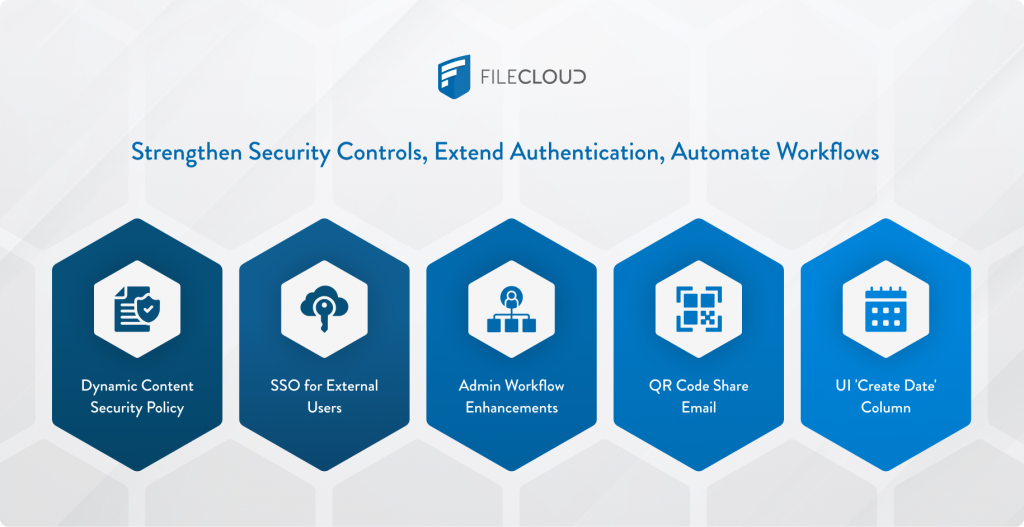
Enhanced Browser Security with Dynamic Content Security Policy
A Content Security Policy (CSP) is a key browser-level security standard that protects against cross-site scripting (XSS), data injection, and other client-side threats. In the 23.253 release, FileCloud has been enhanced with dynamic CSP support, allowing policies to adjust based on deployment and context.
These enhancements improve enforcement across the platform while preventing disruption to legitimate web functionality, making it easier for administrators to maintain strong security standards without impacting user workflows.
Benefits for IT teams and security leaders:
- Reduced exposure to browser-based attacks, including malicious script injection
- Greater confidence in security and compliance posture
- Improved stability in hardened browser environments
A dynamic CSP gives administrators flexible, context-aware security controls, helping organizations maintain a secure collaboration environment while minimizing administrative overhead.
More Reliable Access with Single Sign-On Improvements
With the FileCloud 23.253 release, administrators can now enforce Single Sign-On (SSO) for external users, extending centralized authentication to accounts that previously required alternative login methods.
This enhancement allows organizations to apply consistent identity and access policies across internal users, clients, and partners—reducing risk while simplifying user management.
Key benefits include:
- Enforced SSO access for external users, including client and partner accounts
- Unified authentication policies across internal and external users
- Simplified access governance with fewer authentication methods to manage
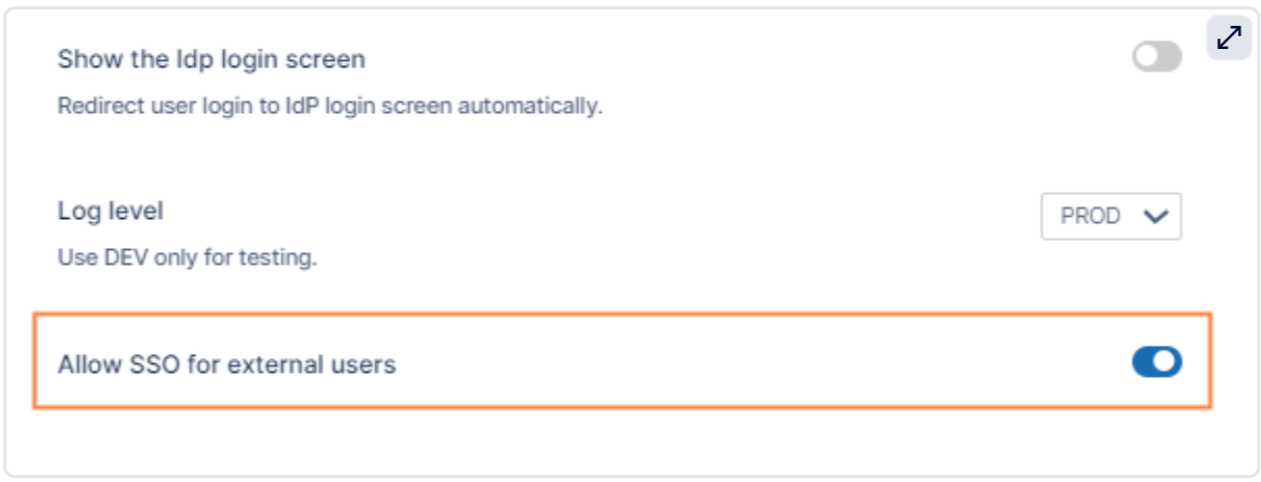
For administrators, this update strengthens security controls and supports compliance by ensuring all users authenticate through approved identity providers. For end users, it delivers seamless, enterprise-grade access—making secure collaboration easier across organizational boundaries.
Admin Workflow Enhancements
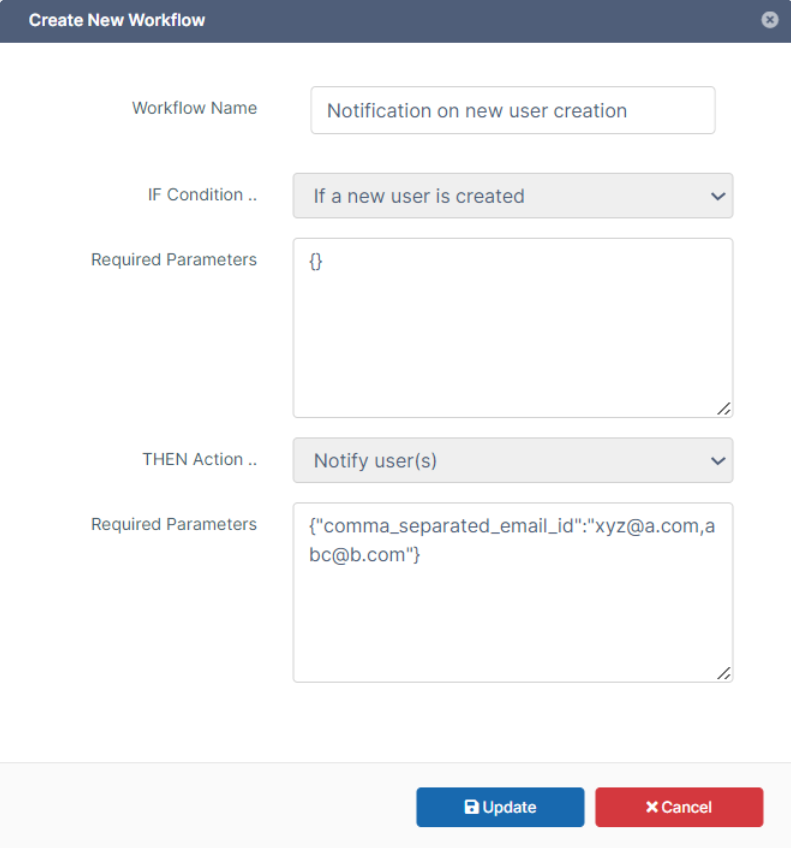
FileCloud 23.253 introduces updates to admin workflows, making routine tasks faster and more intuitive. These refinements help IT teams focus on strategic initiatives rather than repetitive configuration and management activities.
Conditions Based on User Properties
This new workflow option allows administrators to trigger automation based on specific user properties, such as user type or access level. By targeting workflows more precisely, admins can enforce policies consistently while reducing manual effort and unnecessary workflow complexity.
Group Actions
Workflows can now be enabled for Group Actions, allowing automation to be applied at the group level rather than per user. This simplifies policy enforcement for teams and external user groups, making large-scale user management more efficient.
“If a file was not modified/created in specified days” workflow
This workflow expands existing inactivity-based automation by adding support for file creation date in addition to modification date. Administrators can now trigger workflows based on modified date, created date, or both—enabling more accurate identification of unused content and more effective data lifecycle management.
Automatic Placeholders for Optional Parameters
Automatic placeholders are now generated for optional workflow parameters, reducing manual configuration and setup errors. This improvement speeds up workflow creation and makes ongoing management simpler and more reliable.
Key Benefits include:
- Enhanced dashboard performance for faster administrative actions
- Streamlined configuration interface for easier policy management
- Improved monitoring and reporting capabilities
By expanding on admin capabilities, FileCloud 23.253 helps IT teams maintain control, enforce security policies efficiently, and provide a better overall experience for users.
User Interface Enhancements
Alongside admin workflow improvements, FileCloud 23.253 delivers user interface (UI) updates for both administrators and end users. These changes make accessing and managing content more intuitive while maintaining enterprise-grade security.
Notable updates include:
- User Interface Customization: Display file created dates, helping users track, audit, and manage content more effectively
- QR code enhancement: Add QR codes to file share notification emails, streamlining mobile access and content sharing
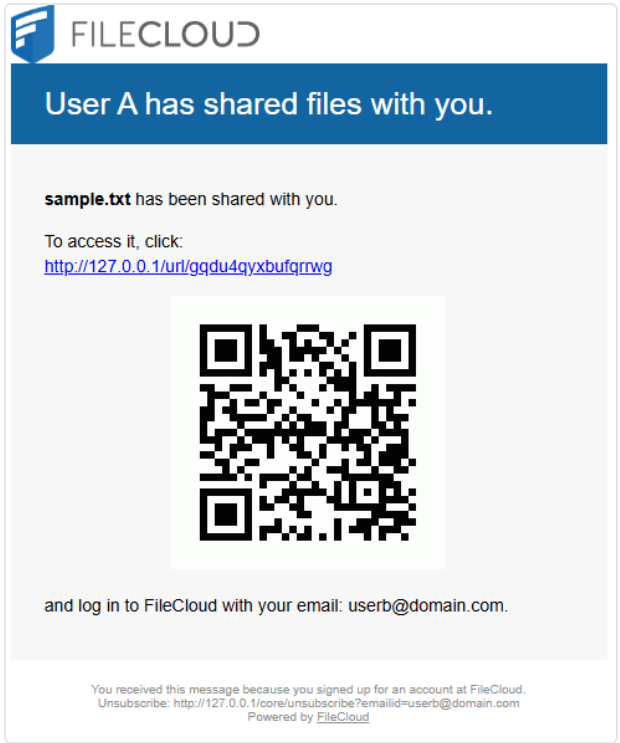
These updates improve day-to-day usability, empowering users and administrators to interact with FileCloud more efficiently without compromising security or compliance.
Why FileCloud 23.253 Matters
For IT administrators and technical decision-makers, the 23.253 release emphasizes key areas of enterprise value:
- Strengthened security controls through dynamic CSP
- Improved identity and access management with SSO refinements
- Streamlined admin workflows for operational efficiency
- Enhanced usability through UI updates, created date display, and QR code improvements
Together, these updates reinforce FileCloud’s commitment to secure, efficient, and compliant collaboration environments, enabling organizations to manage risk while maximizing productivity.
Interested in learning more about the release? Check out the 23.253 Release Notes for information on admin and user interface changes, bug fixes, security enhancements, and more!

By Sydney Lambert