FileCloud’s Self Hosted File Sharing and Sync Solution

Get Free Trial →
Client Logo
Client Logo
Client Logo
Client Logo
Client Logo

Self-hosted File Sharing with Secure Sync and Mobile Access

Self-Hosted Cloud Storage

FileCloud provides self-hosted cloud storage services behind your corporation’s firewall or on AWS (Amazon web services), Microsoft Azure server, Windows, and Linux servers. Hosted files can be easily stored, synced, and shared across different user channels.

Enterprise-grade File Sharing Features

With FileCloud, you can store data securely and enable access via web-based interface or network folder. The self-hosted file server puts you in control of your data, with enterprise features like data loss prevention, granular file controls, user policy management, and robust admin tools.

Hybrid Cloud Infrastructure

FileCloud’s hybrid solution provides the best of both worlds: on-premises and cloud storage. Fast, low-latency LAN access in the office and anywhere-anytime cloud access for remote work. File changes and permissions are synced for streamlined data management and collaboration.

Gartner Per Insights Logo 2018
Gartner Per Insights Logo 2019
Gartner Per Insights Logo 2020
Gartner Per Insights Logo 2021
Gartner Per Insights Logo 2022

FileCloud has received the Gartner Peer Insights Customers’ Choice Distinction for the fifth consecutive time!

92% of our customers would recommend us to a friend.

Rating Stars Image 4.6

FileCloud Server: The Premier Self-hosted File Sharing Solution

FileCloud Server is an enterprise-grade solution trusted by thousands of Global 2000 companies. It provides a robust, flexible platform for self-hosted file sharing, with the ability to be deployed on Windows or Linux servers. The solution’s comprehensive feature stack includes advanced security, intuitive dashboards, and scalable storage, making it a powerful alternative to traditional cloud services.

FileCloud's Governance Dashboard Screenshot

Self hosted file sharing servers like FileCloud give enterprise organizations control over their IT infrastructure, helping to avoid ballooning costs of cloud storage and supporting efficient TCO in the long term. Additionally, self-hosting enables seamless integration with existing infrastructure and guarantees compliance with privacy and data protection requirements, making it an ideal choice for both organizations in highly regulated industries.

Furthermore, self-hosted file sharing ensures data security while enabling seamless collaboration. It eliminates reliance on third-party providers, reduces recurring costs and allows for customization to meet specific business needs.

Data Security

FileCloud comes packed with layers of data security, including:

  • Encryption options: customer managed encryption keys, AES 128- or 256-bit encryption, SSL/TLS tunnels, and FIPS 140-2 encryption.
  • Data governance and visibility: role-based access controls, comprehensive audit logs and reporting, metadata, OCR/pattern search, data leak prevention (DLP), retention policies, and Digital Rights Management (DRM).
  • Ecosystem security: antivirus scanning, ransomware protection, two-factor authentication, endpoint and automated backups, and Active Directory/LDAP integration.

Learn more by reading the FileCloud Security FAQs white paper.

FileCloud Security Best Practices white paper

Streamlined Accessibility

FileCloud provides secure, fast, and reliable access to enterprise data via web browser, desktop client, and mobile apps. As a self-hosted cloud storage, sync, and sharing solution, FileCloud Server dramatically improves access speed to data, reduces latency, and provides swift, secure access to files, irrespective of physical geography.

FileCloud Server can also be deployed as a hybrid cloud solution, integrated locally on the LAN for fast local access with a remote site on the cloud (AWS, Azure) for remote file access.

Secure File Sharing

Users can leverage FileCloud’s powerful file sharing features to collaborate on files remotely.

  • Set shares as private (user/group) or public (link/QR code), with additional options to share as view-only, limit downloads, set expiration dates, or set a password.
  • Collaborate on files in real time, with Microsoft Integrations and Desktop Edit in FileCloud.
  • Recover deleted files from the recycle bin and restore previous versions with unlimited file versioning.
  • Lock files to prevent overwriting (and automate file locking/unlocking with FileCloud for Office).
  • Extend secure file sharing to clients, vendors, and suppliers with FileCloud’s unlimited external accounts (no additional license cost).

FileCloud's Sharing Options Screenshot

Secure Storage & Online Access

File share hosting allows businesses to securely store and share files online. With robust security features and easy accessibility, it ensures seamless collaboration while protecting sensitive data. FileCloud’s self hosted file share solution provides businesses with secure data storage and sharing capabilities. It offers full control over files, ensuring compliance while enabling seamless collaboration among team members.

Private, Controlled File Sharing

A self hosted file sharing server allows individuals or organizations to manage and store their files privately, providing complete control over data access and security. By hosting the server on personal or company infrastructure, users can eliminate the reliance on third-party cloud services, ensuring that sensitive information stays within their own network. Self hosted file share not only enhances data privacy but also offers customizable features and scalability to meet specific organizational needs.

Granular Permissions, Centralized Infrastructure

With a self hosted file share, you can set user permissions, integrate with existing systems, and manage resources efficiently, making it an ideal choice for businesses or individuals handling sensitive information. It provides a scalable, secure and cost-effective alternative for seamless collaboration and file management in any environment.

Security & Compliance

A self-hosted file share enhances secure file sharing by ensuring full data control, security and compliance. It keeps sensitive information within an organization’s infrastructure, reducing risks from third-party breaches and enhancing privacy. With features like access controls, encryption and audit logs, a self hosted file sharing server is ideal for businesses prioritizing data privacy, regulatory compliance and operational independence.

Remote Access

Hosting files online involves storing digital content on remote servers, enabling users to upload, manage and share files securely via the internet. This approach allows for easy access from any location or device, making it ideal for personal and professional use.

Custom Branding

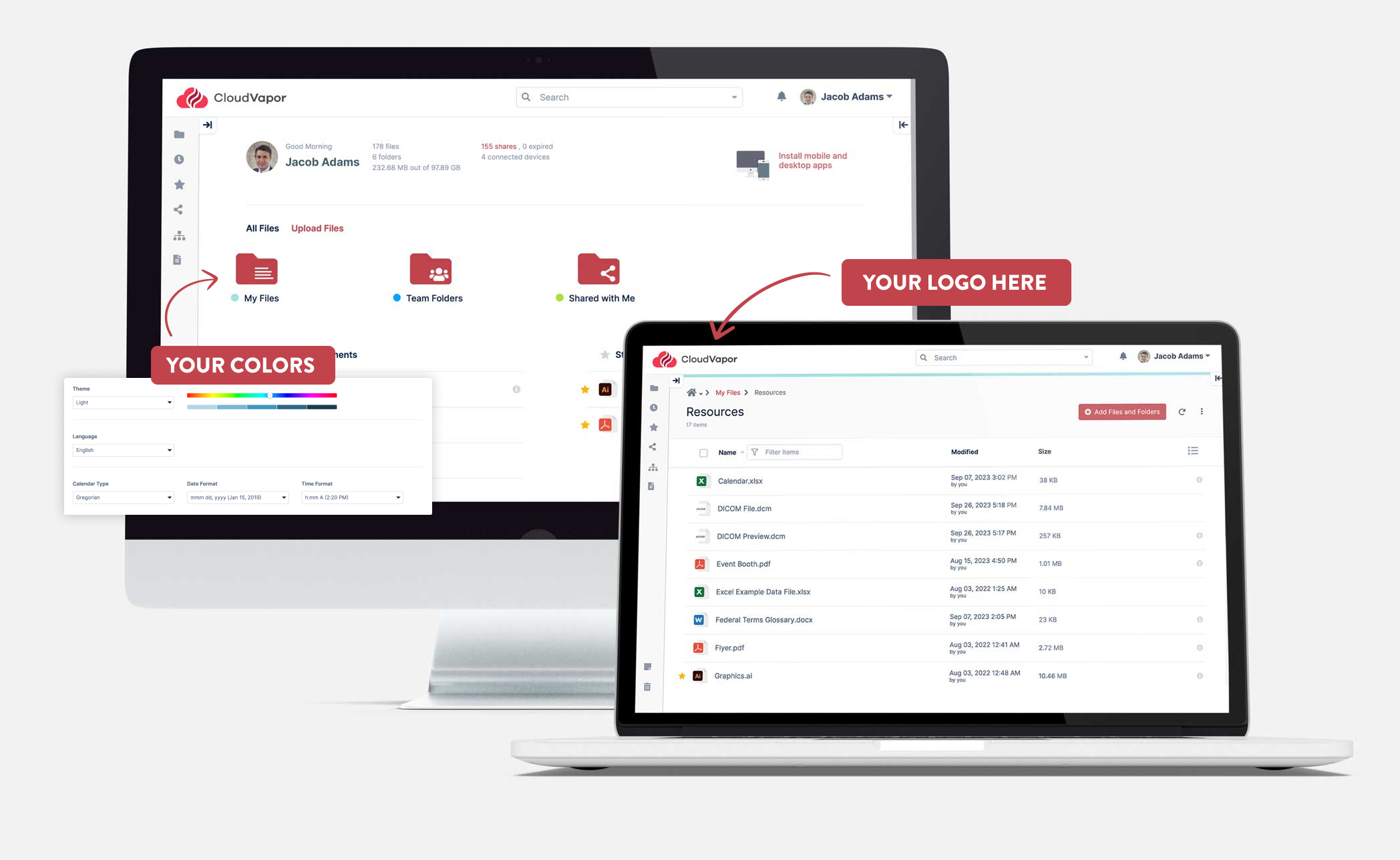
FileCloud offers an array of customization options to meet enterprise needs for a comprehensive EFSS solution. You can customize logos, login page images, email templates, TOS and user interface elements; you can even upload your own CSS and run FileCloud under your own business domain to reinforce brand identity and trust.
FileCloud customization options

FileCloud Delivers Enterprise Value

  • Self-host on-premises or in the cloud.
  • Deploy on Windows or Linux Server.
  • Connect with Windows Network Folders and NTFS permissions.
  • Integrate with Active Directory (preserve existing AD credentials).
  • Share files externally with vendors, partners, and customers.
  • Manage devices with remote wipe and user blocking.
  • Classify data with metadata tags and custom metadata sets.
  • Automate retention policies and Data Leak Prevention (DLP).
  • Empower admins with centralized, customizable admin portal (device dashboard, detailed audit logs, reports, and much more).
  • Customize with logo and login screen images, brand your file sharing emails, and run your FileCloud site on a custom domain.
  • Comply with GDPR and other data protection regulations via federated search for e-discovery and data visibility.
  • Apply granular access permissions to folders and sub-folders.
  • Access FileCloud as a virtual drive and set selective sync preferences.

FileCloud Capabilities – What Can You Do with FileCloud?

FileCloud easily fits all organizational needs with seamless capabilities and ease of use.

FileCloud offers flexibility and customization to support enterprise workflows and operations.

Admins can control and monitor user groups, modify file/folder access, and assign permissions or restrictions whenever required.

By connecting with scalable cloud storage, FileCloud offers virtually unlimited storage for your self-hosted file servers that grows and changes with your enterprise.

FileCloud’s client document portal extends secure, enterprise file management to an unlimited number of client accounts at no additional cost. Additional security measures in the form of data loss prevention rules, unlimited file versioning, easy document search, antivirus scanning, and encryption make FileCloud a robust solution with low TCO and high ROI!

Self-hosted file share empowers users to maintain full control over their data, ensuring that sensitive information is not exposed to external entities.

A self-hosted file sharing server is perfect for those seeking full control over data, offering privacy, security and customization. With a self-hosted file share, you can tailor features, set permissions and ensure secure, scalable file management without relying on third-party services.

Think Beyond Storage; Think Collaboration

Though storage space is critical, enterprises can benefit from evaluating collaboration potential as well to get the most out of a cloud storage solution.

Integration with critical applications like Microsoft Word, PowerPoint, and Excel, workflow automation, file versioning, team folders, document preview, multimedia support, user notifications, language localization, online editing – all these are essential features to look for in a cloud storage solution that also supports collaboration.

A self-hosted file-sharing server enhances file sharing and synchronization by providing complete control over data, ensuring privacy and security. It allows seamless syncing of files across devices, keeping them updated in real time while supporting offline access.

A self hosted file sharing server offers complete control over data storage and sharing, ideal for organizations prioritizing privacy and customization. By hosting on-premises or within a private cloud, it ensures compliance with regulations like HIPAA or GDPR.

FileCloud ticks all these boxes and delivers massive value as a self-hosted, cloud solution. See how real users and administrators rated their experience leveraging FileCloud as a Content Collaboration Tool.

Frequently Asked Questions (FAQs)

What is a self-hosted file sharing solution?

A self-hosted file sharing solution is software that you install and run on your own servers, either on-premises or within your private cloud environment. This gives you complete control over your data, security, and infrastructure, unlike a public cloud service where a third party manages the servers.

How is FileCloud's self-hosted solution different from public cloud services like Dropbox or Google Drive?

The main difference is ownership and control. With public cloud services, your data is stored on their servers, and they manage the security. With FileCloud's self-hosted solution, you host the data on your own servers, giving you full control over security, compliance, and customization. This is especially important for businesses with strict data privacy requirements.

What security features does FileCloud offer for a self-hosted setup?

FileCloud provides multiple layers of security, including advanced encryption (like AES 256-bit and FIPS 140-2), role-based access controls, comprehensive audit logs, data leak prevention (DLP), and ransomware protection. You maintain your own encryption keys, ensuring that only you have access to your data.

Can I use FileCloud with my existing servers?

Yes, FileCloud Server is a flexible solution that can be deployed on various environments, including Windows servers, Linux servers, or even within your private cloud on platforms like Amazon Web Services (AWS) or Microsoft Azure.

Does FileCloud support mobile access and collaboration?

Yes, FileCloud offers secure and streamlined accessibility through dedicated desktop and mobile apps (iOS and Android). It also provides powerful collaboration features, including real-time co-authoring, file versioning, and unlimited external user accounts for secure sharing with clients and partners.

Is FileCloud a cost-effective solution in the long run?

While there is an initial setup cost, a self-hosted solution can be more cost-effective over time. By eliminating unpredictable cloud storage fees and giving you the ability to leverage your existing hardware and IT infrastructure, it provides long-term value and reduces total cost of ownership.

Worldwide

FileCloud
CodeLathe Technologies Inc.
dba FileCloud
125 Park Avenue FL 25
New York, NY 10017-5550

Fax: +1 (866) 824-9584

Europe

FileCloud Technologies Limited
Ducart Suite,
Castletroy Park Commercial Centre, Castletroy,
Limerick, Ireland


Copyright © FileCloud. All Rights Reserved.

Please select your country

SUBMIT