The concept of the “workplace” has become increasingly flexible over the past several years. That flexibility means more opportunities for many people to work in diverse industries, to respond to pressing work-life balance conflicts, and to avoid the challenges of job hunting by location. However, this improved flexibility and reimagining of where people can work lead to very particular issues. Namely: how do you grant your employees, clients, and stakeholders access to necessary information without leaving the door open to cyber threats?
In fact, this question predates the office versus remote work debate. Cyberthreats, hackers, and malware strategies have become ever more sophisticated, even as customers and clients have requested more features and services. This means corporations, businesses, and organizations have had to examine their preexisting IT infrastructures to identify weak points as well as opportunities to improve data security. One such solution to this paradoxical problem is granting access to Network Folders.
What is a Network Folder?
A Network Folder is simply defined as a file folder on a network that can be accessed by users with the proper credentials or authorization. To break things down even further, a network consists of two or more linked computers that share resources, exchange files, or support electronic communications. There are different types of networks that influence how data can be stored and shared. These include (but are not limited to):
- LAN (Local Area Network) – a network that is limited to a small geographic area or facility.
- WAN (Wide Area Network) – a network that connects smaller networks across broad geographic regions, including globally.
- SAN (Storage Area Network) – a specialized, high-speed network designed to provide block-level storage access across multiple servers .
The consistent element to these types of networks is that a user must have a device and the appropriate credentials to gain access. For companies and organizations storing their data on a LAN, this means users could only gain access by being within that limited geographic range.
Enter the VPN
The traditional solution to this geographic limiter when it comes to accessing Network Folders is to use a VPN, or Virtual Private Network. By using a VPN, employees, clients, or board members can upload and download data in the network folders as if their devices were directly connected to the LAN. It’s a tidy solution to get around the requirement of being onsite to access files. As a result, many companies established a VPN that authorized users could take advantage of; it only required installation of software or perhaps the creation of specific login credentials.
However, this tidy solution has a key vulnerability: even though the VPN renders a user’s device as existing “within the network” (and thus able to access network folders), it necessarily creates a point of connection between the network and the user’s device. This point of connection is fallible based on the existing security protocols in place on the device, an important risk to consider since every access point means another opportunity for exploitation by predatory software.
Many companies and organizations have tried to mitigate this risk by restricting access to their VPN tools, putting in place barriers so that a VPN is used only when explicitly necessary. In this scenario, a VPN is more of an emergency or limited-use tool than a wide measure of access. Network Folders are still difficult to access and present security risks when used.
FileCloud is a Modern Solution
A solution to the security issues posed by VPN is to utilize a cloud storage and file sharing platform. This kind of tool makes it easy, not only to access files and data from any device and nearly any location, but also to share information with others. Strong security measures protect the data from any unauthorized individuals.
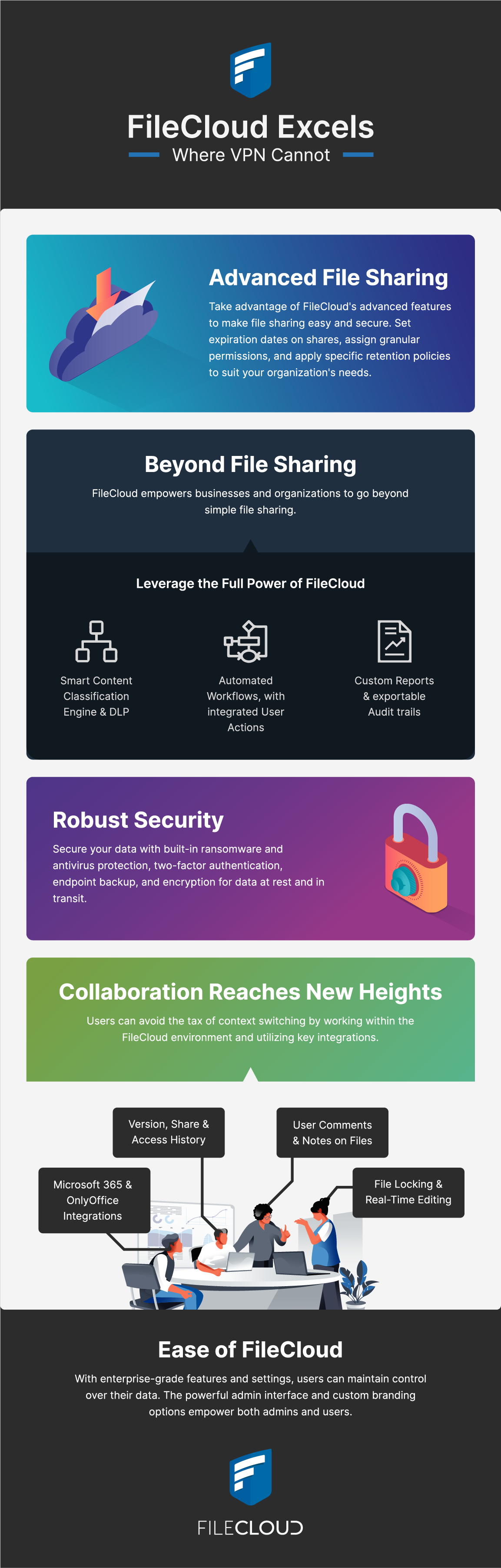
FileCloud is one such example of a file storage and sharing solution that provides enterprise-level security and sharing options. One of the primary use cases for FileCloud as a self-hosted server is to support organizations that already own their IT infrastructure (local storage, network shares, storage appliances). With FileCloud’s on-premises, enterprise-grade solution, organizations can easily add their users and groups to the system through Active Directory (AD) or Lightweight Active Directory Protocols (LDAP) along with SAML SSO login features.
For those with login credentials, FileCloud is easy to access, whether through a desktop or laptop connection or a mobile device. For those who want to work on the go, users can take advantage of FileCloud Sync and Drive. FileCloud Drive creates virtual copies of data in the cloud, syncing any changes immediately and saving on hard drive space. Alternatively, FileCloud Sync enables offline access by downloading files directly and updating files routinely in FileCloud with any local changes.
For organizations looking for an even simpler platform solution that they can easily use without having to manage or maintain an IT environment, FileCloud also offers FileCloud Online, a solution hosted by CodeLathe in their world-class data centers, in a region of your choice. You can also opt for a hybrid model to get the best of both worlds.
Smart Security Features
FileCloud prioritizes data security through a multi-prong approach. Built-in antivirus and malware protection ensures the safety of data in the cloud. Encryption protocols keep data private whether at rest or in transit. Furthermore, admins can enable Two-Factor Authentication and strong login requirements to keep data safe from hackers. They can also integrate FileCloud system alerts and auditing with external SIEM systems to cover all alerts and potential security issues in one place.
Data Leak Protection (DLP), the Content Classification Engine (CCE), and Enterprise Records Management are advanced security features available to FileCloud clients. These features rely on automatic (and customizable) metadata labeling to tag and sort files. Admins can define attribute sets, which are read by the CCE so that distinct protections (including DLP) can then be applied to files and folders.
DLP specifically prevents certain interactions with files and folders, so that data remains within the FileCloud ecosystem and isn’t accidentally shared with unauthorized users, even across different devices and access ports. This automated process makes it easy and simple to protect corporate data.
FileCloud’s sophisticated digital rights management feature captures records throughout the document lifecycle, from creation to distribution to deletion. All file types are supported and can be evaluated for sensitive data; any necessary data is automatically retained as records and can be fetched at request for internal processes or to comply with external requests.
Compliance with US Federal and Global Data Regulations
FileCloud recognizes the importance of data sovereignty with emerging global regulations, including GDPR. Since the enterprise solution can be self-hosted, clients can rest assured knowing that their data is stored exactly where they want it. Audit and Retention policies record the flow of data and protect accidental deletion of important files or folders. Unchangeable audit logs record data and user activity; these logs can be exported into CSV files for easy governance, particularly useful to meet such regulations as FINRA and HIPAA. Lastly, the new ITAR Compliance Center offers users a comprehensive compliance configuration to support requirements within the FileCloud platform.
Branding and Customization Options
Creating and maintaining recognizable digital boundaries for an institution can translate to better security. This is why FileCloud offers customization and branding options to merge the file storage and sharing platform with preexisting platforms managed by the organization or business. This streamlined, visual integration contributions to a uniform presence and promotes user confidence.
FileCloud also makes it easy for you to invite clients or partners into this environment through unlimited, free guest accounts. These accounts enable you to grant secure access to important parties, while maintaining strict control over share settings, without adding on to your licensing needs.