FileCloud Server vs DoD SAFE
DoD SAFE was built to solve a specific, bounded problem: moving large files outside of email on unclassified networks. It does that job reasonably well when it’s working. But for defense agencies and contractors who need a persistent, governable, and always-available content collaboration environment — one that isn’t subject to 7-day expiration windows, shared-infrastructure outages, or CAC-only access restrictions — DoD SAFE is not built for that mission.
FileCloud Server is a self-hosted, on-premises enterprise file sharing and content collaboration platform that your agency or organization deploys and controls on its own infrastructure. No shared queues. No storage caps billed by the gigabyte. No dependency on DISA availability windows. Just secure, compliant, mission-ready file sharing — on your network, under your governance.
What DoD SAFE Does — and What It Doesn’t Do
DoD Secure Access File Exchange (SAFE) is a no-cost, ATO-backed tool that gives CAC holders and external guests the ability to transfer FOUO, PII, and PHI-containing files on NIPRNET — files too large for email — without resorting to commercial consumer platforms (which are often unauthorized for DoD use). For one-off, transient file transfers with no expectation of collaboration, it fills that gap.
The problem is that modern defense operations don’t run on one-off transfers. Programs involve sustained, multi-party collaboration across agencies, contractors, and mission partners. Often, these programs generate requirements for access control, audit logging, version management, and compliance documentation that DoD SAFE was never designed to support.
DoD SAFE Limitations
- Delivery is not guaranteed. DISA explicitly warns that DoD SAFE is not recommended for time-sensitive transfers and that delivery may take up to four hours. For mission-critical workflows, that is not an acceptable dependency.
- Seven-day expiration creates operational risk. Files dropped in DoD SAFE are automatically deleted after seven days regardless of whether the recipient has retrieved them. If a partner misses the notification email, the data is gone — with no recourse.
- Peak-hour degradation is a recurring pattern. Usage spikes between 10am and 2pm EST, Monday through Friday — precisely when most users need the platform. The result is slow performance, failed uploads, and in some cases temporary unavailability.
- Browser caching bugs break functionality. System upgrades have caused cached pages to break button interactions and pop-up dialogs, requiring manual hard-refresh steps on every affected page. These are known, unresolved usability issues.
- CAC authentication is fragile and frequently fails. Authentication is handled by DoD Single Sign-On (SSO), not DoD SAFE itself. Certificate mismatches, duplicate open sessions, and email discrepancies on the CAC regularly result in users being authenticated as guests rather than credentialed principals — without a clear resolution path.
- CAC-only initiation excludes subcontractors and smaller firms. While DoD SAFE supports a “Request a Drop-Off” workflow for non-CAC guests, any transfer must be initiated by a CAC holder. Subcontractors and smaller defense firms who lack CAC access cannot initiate transfers, creating a structural bottleneck in contractor collaboration.
- The platform has not kept pace. DoD SAFE has received limited updates since its 2020 launch, leaving users with an aging interface and compounding usability gaps relative to modern secure file-sharing platforms.
FileCloud Server: Permanent, Self-Hosted File Sharing Built for Defense Environments
FileCloud Server is an on-premises, self-hosted enterprise file sharing and content collaboration platform. Unlike DoD SAFE — which is a shared, DISA-managed transient file transfer tool — FileCloud Server is software that your agency or organization installs and operates on your own hardware, within your own network boundary. That distinction matters in several concrete ways:
Unrestricted File Size & Storage
DoD SAFE caps transfers at 25 files per package and enforces platform-level storage constraints. FileCloud Server connects to your own storage infrastructure — local, SAN/NAS, or cloud object storage (S3, Azure Blob, and others) — and scales with the hardware your agency already owns. There are no per-gigabyte overage charges and no storage tiers to negotiate.

Deployment on Classified and Isolated Networks
FileCloud Server is compatible with deployment on NIPRNET, SIPRNET, JWICS, and coalition networks, as well as fully air-gapped and dark-site environments where no external connectivity is permitted. This makes it suitable not only as a DoD SAFE replacement for FOUO and CUI workloads, but as a persistent content collaboration layer on classified networks where no SaaS-based tool can operate.
Always-On Performance
Because FileCloud Server runs on your infrastructure, performance is determined by your network and hardware — not DISA server load or shared-platform congestion. There are no peak-hour degradation windows, no mystery queues, and no dependency on external availability. High Availability (HA) architecture support and multi-site replication via FileCloud ServerLink ensure uptime even in distributed or geographically separated environments.

Controlled File Expiration — Persistent, Governed Storage
Files shared through DoD SAFE disappear after seven days. FileCloud Server gives administrators full control over content lifecycle: set custom retention policies, archive content automatically, and define deletion rules based on your data governance requirements — not an arbitrary system timer. File versioning is unlimited, ensuring that prior versions of documents remain accessible for audit, compliance, and recovery purposes.
Flexible Identity and Access Management
FileCloud Server supports CAC/smart card authentication via SAML 2.0 SSO for credentialed personnel, and independently manages access for external collaborators, contractors, and mission partners who do not hold CAC credentials. Administrators can configure granular, role-based permissions — view-only, upload-only, download, share, or manage — at the folder and subfolder level.
This eliminates the structural bottleneck that prevents non-CAC subcontractors from participating in DoD SAFE-initiated transfers. It also enables easy remote access for authorized users across devices.
Built-in Collaboration — Not Just File Drop
FileCloud Server is a full content collaboration platform. Teams can co-author Microsoft Office documents in real time, use secure team folders for project-based collaboration, lock files to prevent conflicting edits, leave comments and annotations, tag content with custom metadata, and receive activity notifications. External partners access content through secure, permission-scoped links — no account required unless your governance policy mandates it.
Team folders, co-authoring with Microsoft 365, granular permissions, file locking, commenting, and audit trails are native capabilities — not workarounds bolted onto a file-drop workflow.
Smart Data Loss Prevention and Digital Rights Management
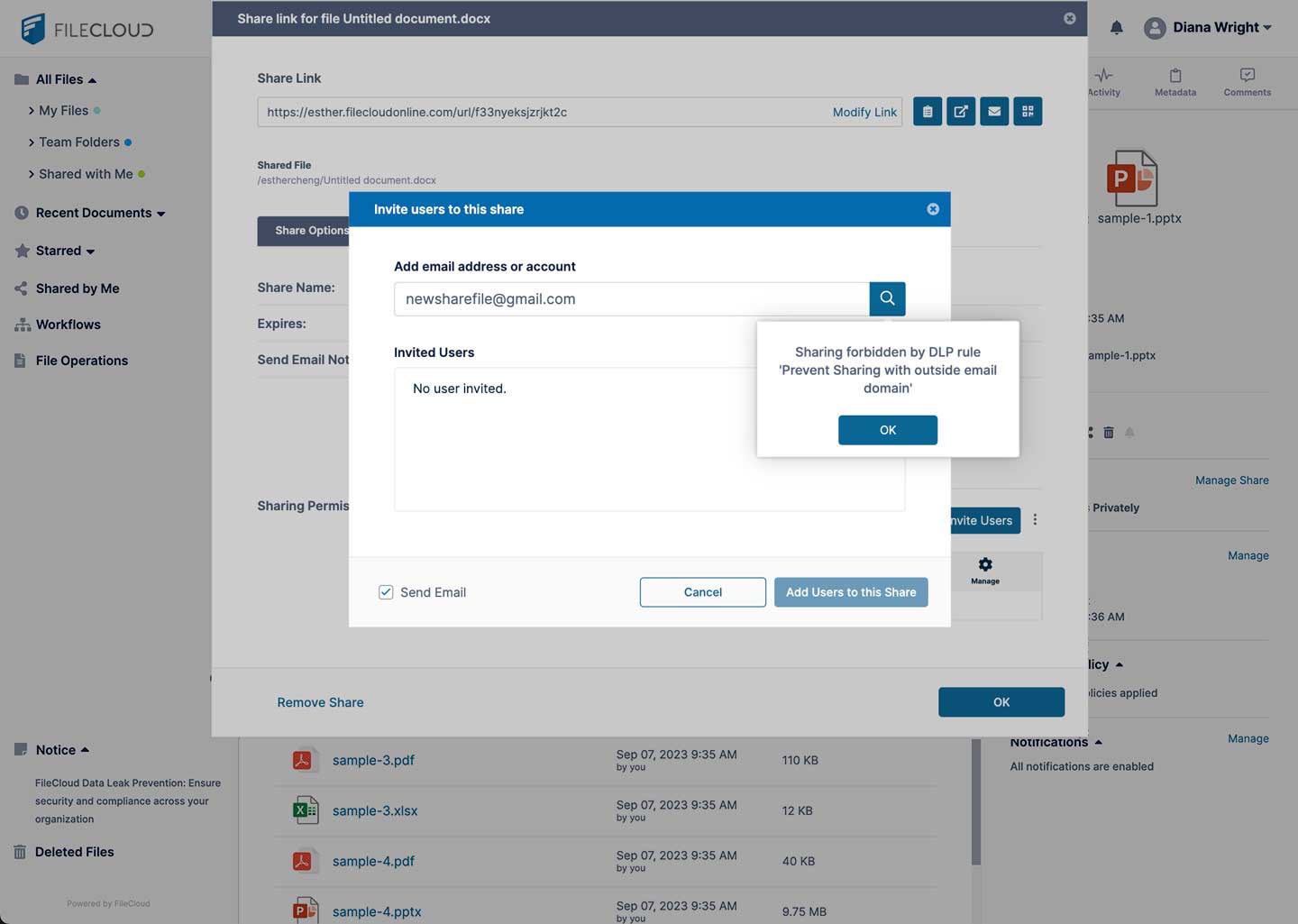
FileCloud’s rule-based DLP engine monitors file activity, flags policy violations, and generates incident alerts — providing administrators with real-time visibility into how sensitive content is being accessed and shared. Digital Rights Management (DRM) capabilities allow administrators to restrict downloads, block screenshots and printing, and revoke access to files that have already been distributed — maintaining control over content even after it leaves your environment.
Full Audit Trail and SIEM Integration
Every file action — upload, download, share, delete, permission change — is logged with user identity, timestamp, and IP address. Audit logs can be exported or streamed to Security Information and Event Management (SIEM) platforms, supporting continuous monitoring requirements under federal security frameworks. Centralized device management and endpoint backup round out the administrative control surface.
Compliance-Ready
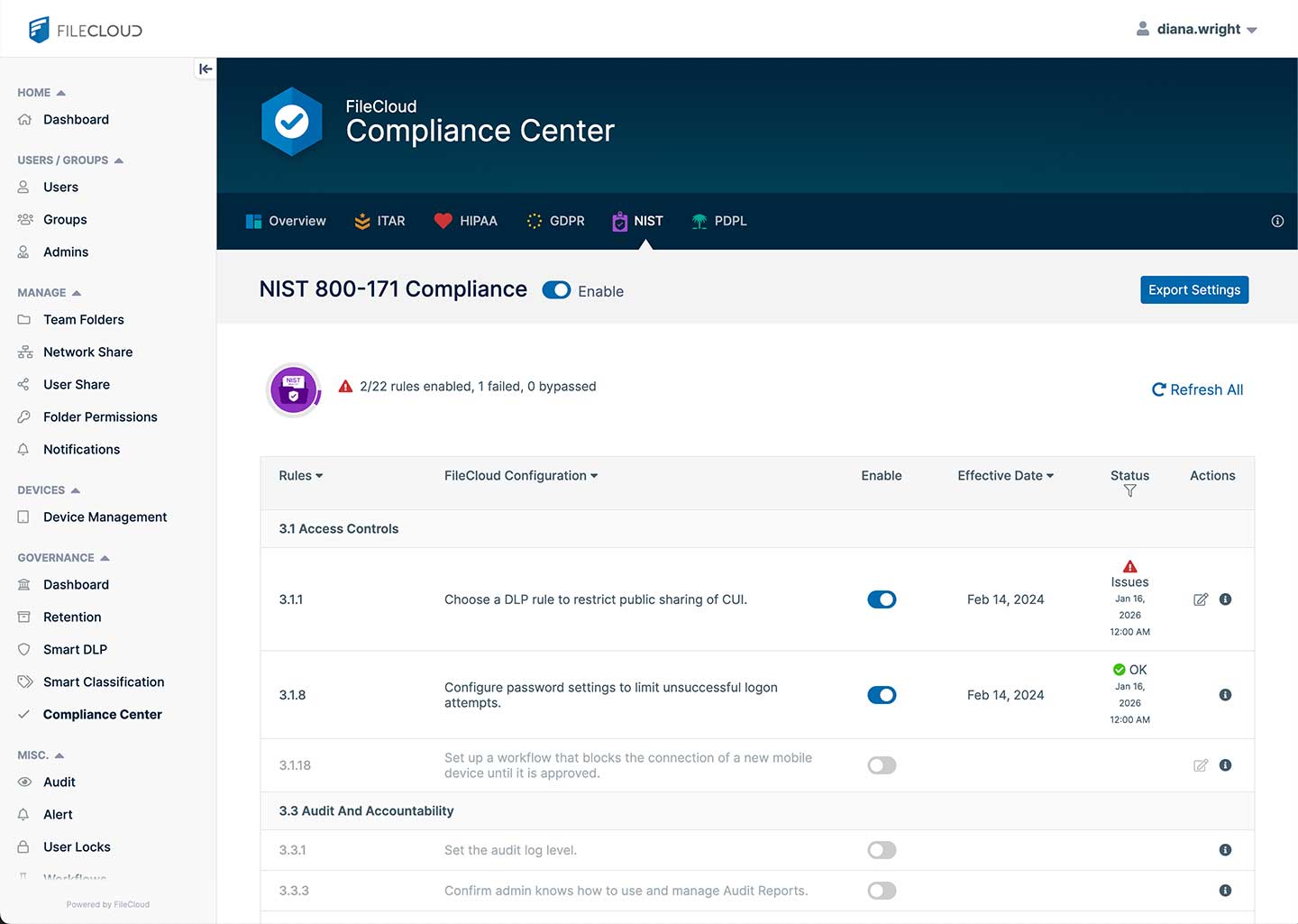
FileCloud Server’s Compliance Center provides built-in configuration templates for NIST 800-171, ITAR, HIPAA, and GDPR. FIPS 140-2 encryption is available as a deployable mode, enforcing AES-256 for data at rest and TLS for data in transit — meeting federal cryptographic standards for sensitive and controlled unclassified information. As a self-hosted solution, FileCloud can also be configured to support CMMC requirements for file sharing and data management across Level 1 and Level 2 certification tiers.