Data in Transit Encryption
Encryption in transit protects data while it moves between users, applications, servers, APIs, cloud services, and external recipients. It is most commonly handled through TLS encryption, which is the modern security layer behind the HTTPS protocol.
In real-world file sharing, the bigger question is often not just “was the transfer encrypted?” but “can we still control and verify what happened to the file after it was shared?” Organizations handling sensitive data often need audit trails, external sharing controls, permissions, and proof that files were received or downloaded.
What is Data in Transit?
Data in transit, also called data in motion, is data actively moving from one location to another. This includes file uploads, external shares, API calls, emails, cloud backups, database queries, and device syncs.
The important distinction is that data in transit often passes through networks, devices, and third-party systems the organization does not fully control. A file may be encrypted at rest in a secure repository, but still become exposed if it is sent through an insecure link, unmanaged email attachment, or poorly configured integration.
This is where many businesses underestimate the problem. Encryption protects the communication channel, but it does not automatically provide governance. This is where data governance tools help control access, visibility, and policy enforcement. A secure file transfer still needs access controls, expiry rules, download restrictions, and activity logs to prevent sensitive data from becoming invisible once it leaves the organization.

11 Best Practices for Protecting Data In Transit
1. Map where sensitive data moves
Identify where data is uploaded, shared, synced, downloaded, backed up, or transferred through APIs, cloud services, email workflows, and third-party integrations. Pay special attention to external sharing routes. Many of the highest-risk transfers happen when files move between organizations, vendors, agencies, clients, contractors, or customers.
2. Enforce modern TLS everywhere
Use current TLS encryption across web apps, mobile apps, APIs, file-sharing portals, and cloud storage connections. Disable outdated SSL encryption and weak cipher suites.
3. Use certificate validation properly
Ensure certificates are valid, trusted, and issued by a reliable certificate authority. Poor certificate handling can weaken public key infrastructure and increase exposure to impersonation risks.
4. Avoid sending sensitive files as email attachments
Use secure file-sharing portals instead. They provide stronger control over access, sharing, expiry, and visibility. This is especially important when teams need to share large files or sensitive documents with external recipients. Email attachments are difficult to revoke, hard to audit, and often push users toward insecure workarounds when file-size limits become a problem.
5. Apply least privilege permissions
Give recipients only the access they need, such as view-only, upload-only, download-restricted, or time-limited access.
6. Use controls for external sharing
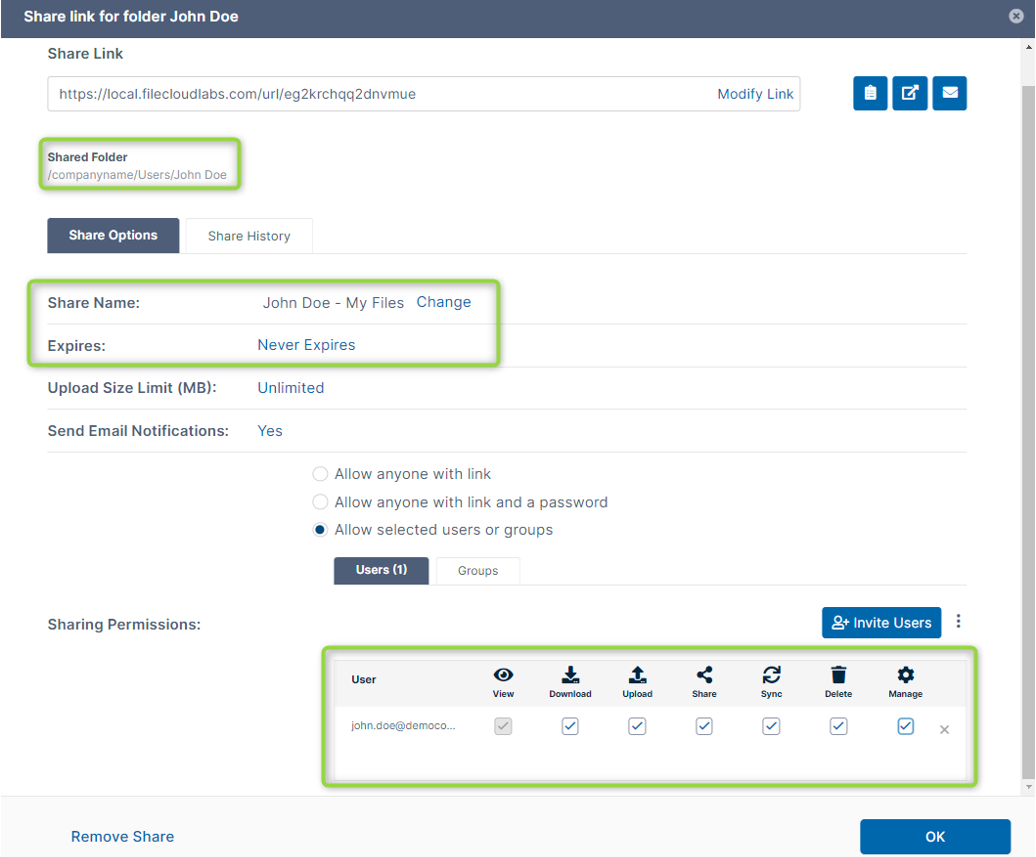
Add link expiration, password protection, download restrictions, user authentication, and audit trails when sharing files outside the organization.
7. Secure APIs properly
Protect API traffic with TLS, authentication, authorization, logging, rate limiting, and certificate validation. This matters for workflow automation as much as user-driven file sharing. When platforms automatically create folders, move files, apply permissions, or share documents, API traffic becomes part of the data-in-transit risk surface.
8. Enforce secure transport in cloud storage
For S3, block non-HTTPS requests by policy. Pair S3 encryption in transit with encryption at rest, access controls, object-level permissions, and monitoring.
9. Monitor and audit file activity
Track uploads, downloads, shares, failed access attempts, permission changes, and unusual user behavior. Auditability is one of the biggest differences between basic encrypted transfer and enterprise-grade secure file sharing. Encryption protects the channel, but audit logs help prove what happened.
10. Use additional protection for highly sensitive files
For the most sensitive data, consider zero trust controls or end-to-end encryption models where the platform does not retain the decryption key. This is useful when the organization needs to protect data even if a platform, account, or storage location is compromised. In this model, control of the decryption key becomes as important as the encrypted transfer itself.
11. Test for weak transmission points
Regularly check for insecure endpoints, expired certificates, weak TLS settings, legacy secure file transfer tools, unmanaged sharing channels, and systems still allowing non-HTTPS connections.
For a broader breakdown of secure sharing workflows, see FileCloud’s guide to Secure Data Transfer Best Practice→
7 Secure Data Transfer Best Practices
7 Secure Data Transfer Best Practices Modern organizations move sensitive data across cloud platforms, endpoints, partners, and remote teams every day. Without a structured security framework, file sharing can quickly become a compliance risk and...
Why Is it Important to Secure Data in Transit?
- Data in transit is vulnerable because it often moves beyond the organization’s immediate perimeter. Employees may share files externally, applications may send data to third-party services, and users may connect from unmanaged networks.
- Without strong encryption, attackers may intercept sensitive information such as customer records, financial data, healthcare files, credentials, contracts, or intellectual property.
- Encryption also helps reduce tampering risks. Proper certificate validation makes it harder for attackers to impersonate trusted systems or redirect users to unsafe destinations.
- A common failure point is relying on older “secure enough” habits, such as encrypted USB devices, CDs, zipped email attachments, FTP transfers, or consumer file-sharing tools. These methods may offer some protection, but they usually lack centralized visibility, revocation, consistent policy enforcement, and reliable audit trails.
- For regulated industries, securing data in transit is a core expectation. HIPAA, financial services requirements, GDPR-driven data protection practices, and government security standards all depend on safe transmission as part of broader compliance.
What to Do After Encrypting the Transfer
Once encryption in transit is in place, the next step is to govern the file-sharing workflow around it.
Organizations should define who can access shared files as part of a broader data management strategy, whether recipients can download or only preview them, how long links remain active, and whether external users must authenticate before opening content. For sensitive files, password protection, link expiration, download restrictions, and recipient-specific permissions should be standard.
Just as important, teams need auditability. Secure file sharing should show when a file was shared, who accessed it, whether it was downloaded, and whether any permissions changed. This gives security, compliance, and IT teams the evidence they need to verify that sensitive data was handled correctly.
In short, encryption protects the transfer. Governance protects the outcome.
Secure Data in Transit with FileCloud
Encryption in transit protects files while they move, but secure collaboration also depends on what happens before and after transfer.
FileCloud gives organizations file encryption and secure file sharing with granular permissions, secure external links, password protection, expiration dates, download controls, and audit trails, helping teams share sensitive data without losing visibility or control.
For regulated or high-risk environments, FileCloud helps make secure file transfer part of a governed workflow, not a one-time security setting.
Encryption in Transit FAQs
How can businesses protect data in transit?
Businesses can protect data in transit by using secure protocols such as TLS, enforcing HTTPS, restricting access to authorized users, and avoiding insecure channels like unencrypted email attachments or legacy FTP.
What is the difference between encryption at rest and in transit?
Encryption at rest protects stored data, such as files on servers, devices, or cloud storage. Encryption in transit protects data while it moves between users, applications, servers, or external recipients.
Why do companies need encryption at rest and in transit?
Companies need encryption at rest and in transit to protect sensitive data throughout its lifecycle. Data can be exposed while stored, shared, uploaded, downloaded, or transferred between systems.
How does S3 encryption in transit work?
S3 encryption in transit protects data moving to and from Amazon S3 by using HTTPS/TLS connections. Organizations can also enforce secure transport with bucket policies that block unencrypted requests.
What does HIPAA say about encryption in transit?
HIPAA compliance expects healthcare organizations to protect electronic protected health information when it is transmitted. Encryption in transit helps reduce the risk of exposing patient data during file sharing, email, uploads, or system integrations.
Is TLS enough to protect data in transit?
TLS is a core requirement, but it should be combined with access controls, strong authentication, audit logs, secure sharing policies, and monitoring to reduce the risk of unauthorized access.
What are common examples of data in transit?
Common examples include files uploaded to a cloud platform, documents shared with external users, API transfers, emails, database queries, video calls, and data synced between devices.
What are the main risks to data in transit?
The main risks include interception, man-in-the-middle attacks, insecure public networks, weak encryption settings, misconfigured cloud services, and users sending sensitive files through unapproved tools.
How can organizations secure file sharing in transit?
Organizations can secure file sharing in transit by using encrypted file-sharing platforms, HTTPS/TLS, password-protected links, expiration dates, granular permissions, and audit trails.
Is encryption in transit required for compliance?
Encryption in transit is commonly expected under many compliance frameworks, especially when sensitive, financial, healthcare, government, or personal data is involved. It should be supported by access controls, logging, and documented security policies

Product Marketing Manager